Computer Types (TryHackMe)

In this write-up, I'll document my journey through the Computer Types room on TryHackMe. This is the second room in the pre-security path and builds upon the hardware fundamentals learned in the previous room. The room follows Sophia's summer internship story as she discovers the hidden world of computing devices all around us.
This room challenged my perception that "computers" only meant laptops and smartphones. Through Sophia's experiences at Nova Labs, I learned about:
Traditional computing devices (laptops, desktops, workstations, servers)
Mobile and touch devices (smartphones, tablets)
Hidden computers (IoT devices and embedded systems)
Why different computer types exist and what trade-offs each design makes
The narrative approach made the technical concepts engaging and relatable, showing how computers have quietly infiltrated nearly every aspect of modern life.
Introduction
Sophia was trying to connect a new device to her home’s WiFi when she noticed something unexpected: “NexusCool Fridge X17.” She laughed and wondered if connecting to the NexusCool Fridge X17 WiFi would let her download a cold meal. Setting the joke aside, she soon realized her neighbor had bought a smart refrigerator, a fridge with a built-in computer capable of connecting to the internet. It made her pause. Computers were no longer just laptops and phones. They were quietly infiltrating everyday objects, from kitchen appliances to doorbells. Sophia had seen strange stories online about smart devices behaving badly, but she had never really stopped to think about what these machines actually were.
She looked forward to learning more about computers during her upcoming summer internship.
Learning Objectives
Upon completion of this room, you will be able to identify and distinguish between different types of computers you use directly, such as laptops and smartphones, and indirectly, such as servers, IoT devices, and embedded systems. You will also understand what makes each type suited to its purpose.
Sophia’s Summer of Hidden Computers – Month 1
The Computers You Sit in Front Of
During her first month at Nova Labs, Sophia learned an important lesson.

Sophia learned that...
1. Not all computers are meant to move.
2. Not all computers are meant for people to sit in front of.
She was introduced to four types of computers that often look similar but serve very different purposes.
Portable everyday computing
Sustained performance at a fixed location
Let's compare these below:
| Computer Type | Screen and Keyboard | Main Purpose |
| Laptop | Yes | Portable everyday computing. |
| Desktop | Yes | Sustained performance at a fixed location. |
| Workstation | Yes | Precision and reliability for professional tasks. |
| Server | No | Providing services to many users over a network. |
How Sophia Learned the Difference
Sophia began with a laptop, the computer she already knew best. It was perfect for emails and documents, but when she pushed it with long tasks, it slowed down. Gabriel explained that laptops are built to be portable, and staying cool in a small, battery-powered device is difficult.
Next, she tried a desktop. It stayed in one place, used wall power, and had better cooling. The same task ran smoothly for much longer. Desktops are designed for consistency rather than mobility.
When Sophia moved on to professional work, such as simulations and 3D models, Gabriel showed her a workstation. It looked like a desktop, but it was built differently. Workstations prioritize accuracy and reliability, using specialized components to reduce errors during long or complex computations.
Finally, Gabriel took her to a room full of machines with no screens at all. These were servers. They ran continuously, answering requests from multiple users simultaneously. Sophia never touched them directly, but they powered the tools she used every day.
Answer the questions below
Which computer type usually runs without a dedicated screen and keyboard?
serverWhat kind of computer with specialized components would one buy to carry out precision work?
workstation
Sophia’s Summer of Hidden Computers – Month 2
By her second month at Nova Labs, Sophia had started noticing computers she had never interacted with directly. The most powerful computer most people own fits in their pocket, but millions more hide inside everyday objects: doors, lamps, coffee machines.
We continue to find computers hiding in everyday objects:
| Type | What it is | Examples |
| Smartphone | Pocket-sized computer optimized for battery life and connectivity | iPhone, Android phone |
| Tablet | Touch-first computer with larger screen | iPad, drawing tablet |
| IoT device | Network-connected device with a single purpose | Thermostat, smart doorbell, fitness tracker |
| Embedded computer | Computer built into another device | Coffee maker controller, automatic door sensor, lamp dimmer chip |
IoT vs Embedded: Both can be small and single-purpose. The difference is connectivity. IoT devices connect to a network to report data or receive commands. Embedded computers might not connect to anything; they do their job inside the machine, often for years without anyone knowing they exist.
Sophia walked through automatic doors every day at Nova Labs. She never realized that a tiny computer inside the door frame was detecting her movement and signaling the motor to open. That’s embedded computing; invisible, reliable, everywhere.
Answer the questions below
What is the currently most popular pocket-sized computer?
SmartphoneWhat kind of computer would you expect to find in a coffee machine?
Embedded computer
Why Computers Come in Different Flavors
Sophia asked the question that had been bothering her all summer:
Sophia asked...
Why not just build one computer that does everything?
“Because every design is a trade-off,” replied Gabriel.
Mobility costs power. Smaller, portable computers must sacrifice sustained performance. Reliability costs money. Servers and critical systems use redundancy, such as extra power supplies and disks, to avoid failure.
Purpose shapes everything. You touch a phone. You ask a server for information. An IoT device works quietly without demanding attention.
There is no best computer. There is only the right tool for the job!
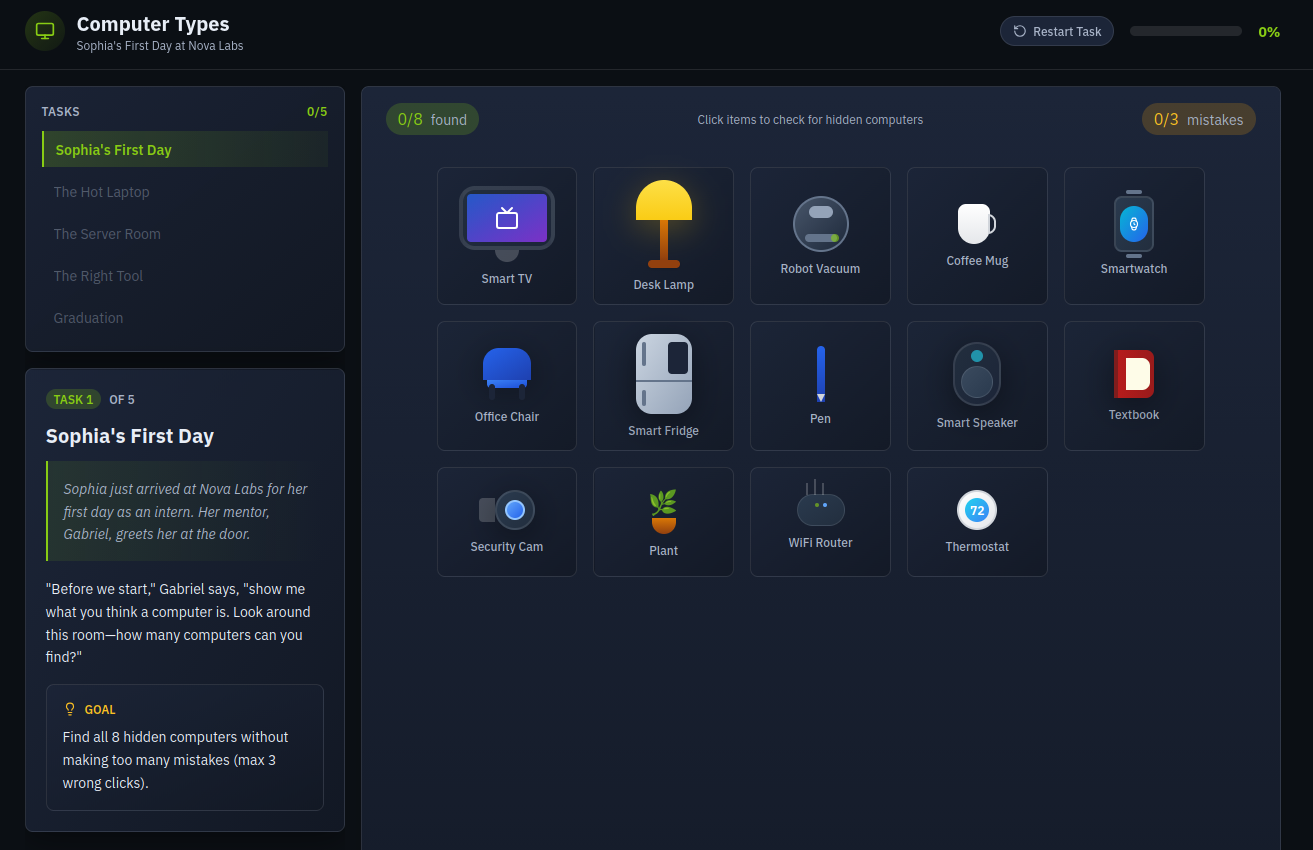
Click the View Site button below, then complete the interactive challenge to get the flag.
View Site
Answer the questions below
Go through the attached static site and get the flag.
The TryHackMe interface is so interactive and this is a beginner friendly room so one can always restart task and try again


Summary
Sophia’s final report began: “I arrived thinking computers had screens and keyboards. I leave knowing they are everywhere, especially where I do not see them.”
In this room, we covered eight types of computers and learned how decisions are made when choosing one over the others. The most critical computers are not always the fastest or flashiest. Sometimes, they are the silent chips that keep doors opening, planes flying, and coffee machines brewing.
This room effectively expanded my understanding of what constitutes a "computer" in the modern world. Following Sophia's journey from thinking computers only had screens and keyboards to recognizing they're everywhere—especially where we don't see them—was an enlightening experience.
Key Takeaways:
Purpose drives design: There's no "one computer fits all" solution—each type serves specific needs
Trade-offs are inevitable: Mobility sacrifices sustained performance, reliability costs money, and specialization improves precision
Computers are everywhere: From the obvious (smartphones, laptops) to the invisible (embedded systems in doors, coffee makers, appliances)
Connectivity matters: The key difference between IoT and embedded devices is network connectivity and remote control capabilities
The interactive challenge reinforced these concepts by requiring hands-on identification and classification of different computer types. The beginner-friendly interface with restart options made it easy to learn from mistakes.
Most Important Insight: The most critical computers aren't always the fastest or flashiest—sometimes they're the silent chips keeping infrastructure running, doors opening, and everyday devices functioning reliably.
Next Steps: With this foundational knowledge of computer components and types, I'm ready to progress deeper into the pre-security path and learn how these systems can be secured and defended.