Link to the challenge on TryHackMe: Response and Recovery
Introduction
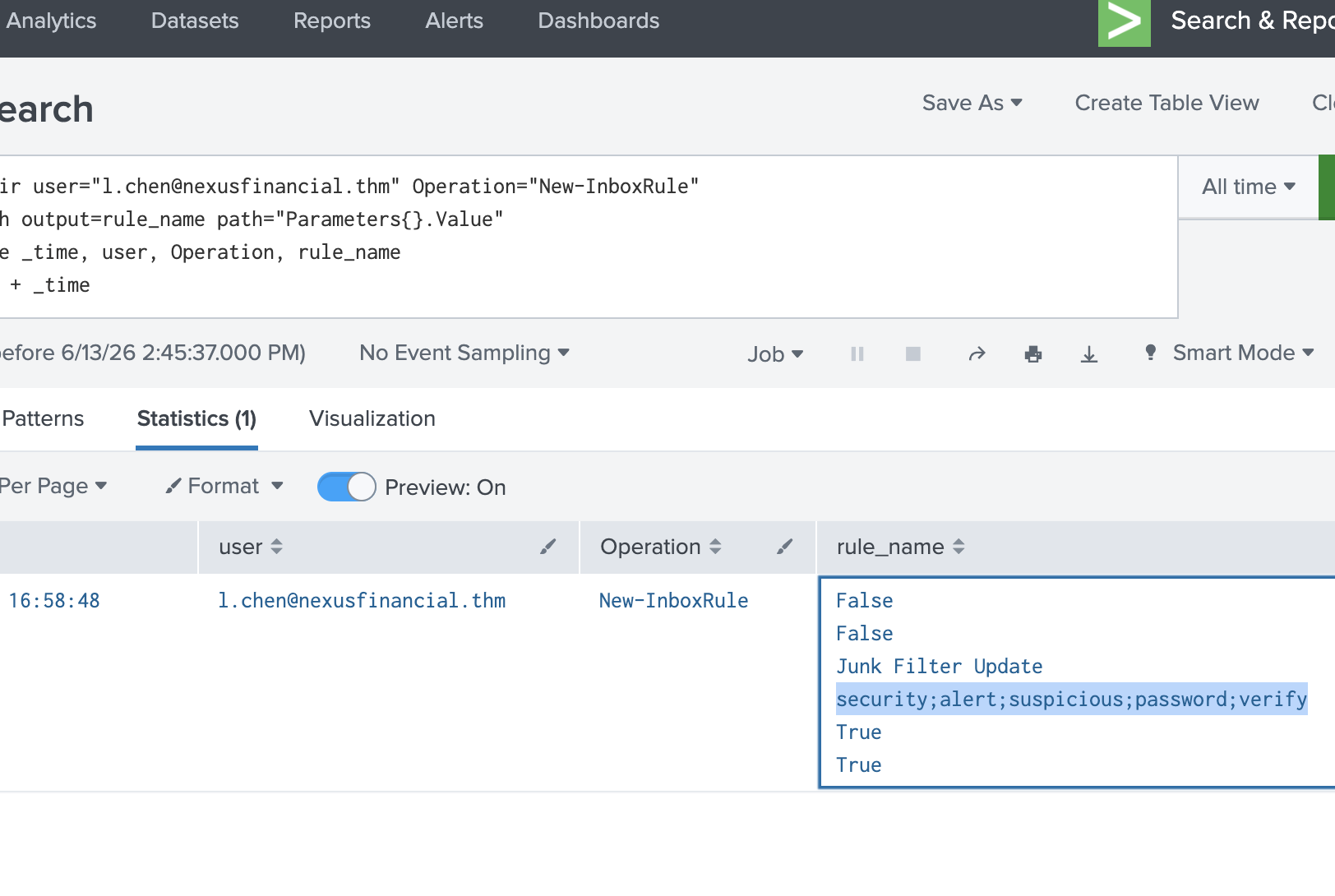
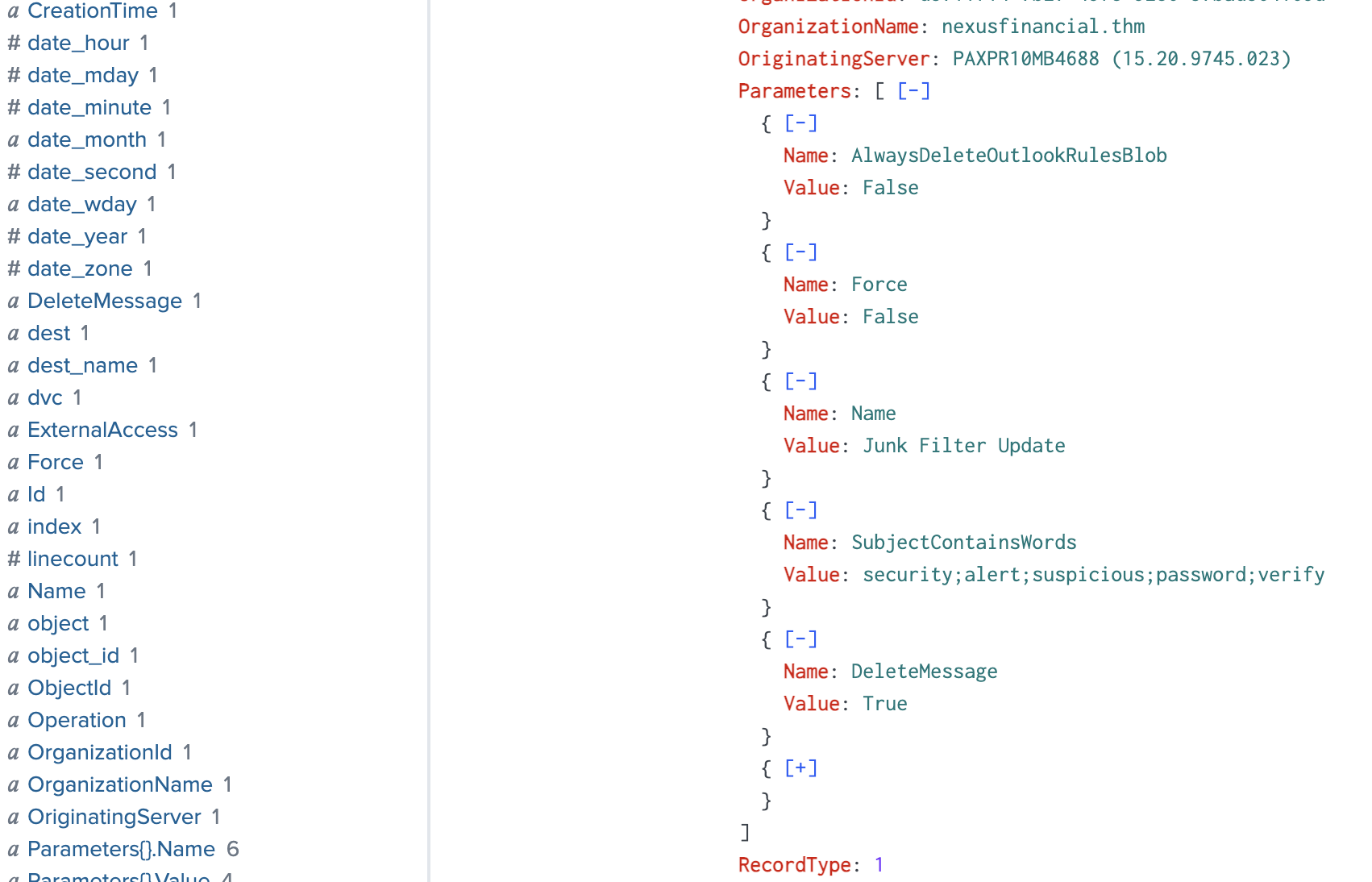
Response and Recovery picks up where Detection and Analysis left off: the investigation into the compromised l.chen@nexusfinancial.thm account has confirmed malicious inbox rules designed to silently delete incoming security alerts (matching on keywords like security, alert, suspicious, password, verify) so the victim would never see warning emails about the compromise. This room shifts focus from detection to the next phase of the incident response lifecycle — containment, eradication, and recovery — walking through how to scope the full extent of attacker activity, including any data exfiltration, before remediating the account and hardening against recurrence. This writeup covers the SPL queries used to confirm the malicious rule's exact filtering logic and to check whether the attacker exfiltrated any files during their access window.
index=ir user="l.chen@nexusfinancial.thm" inboxrule
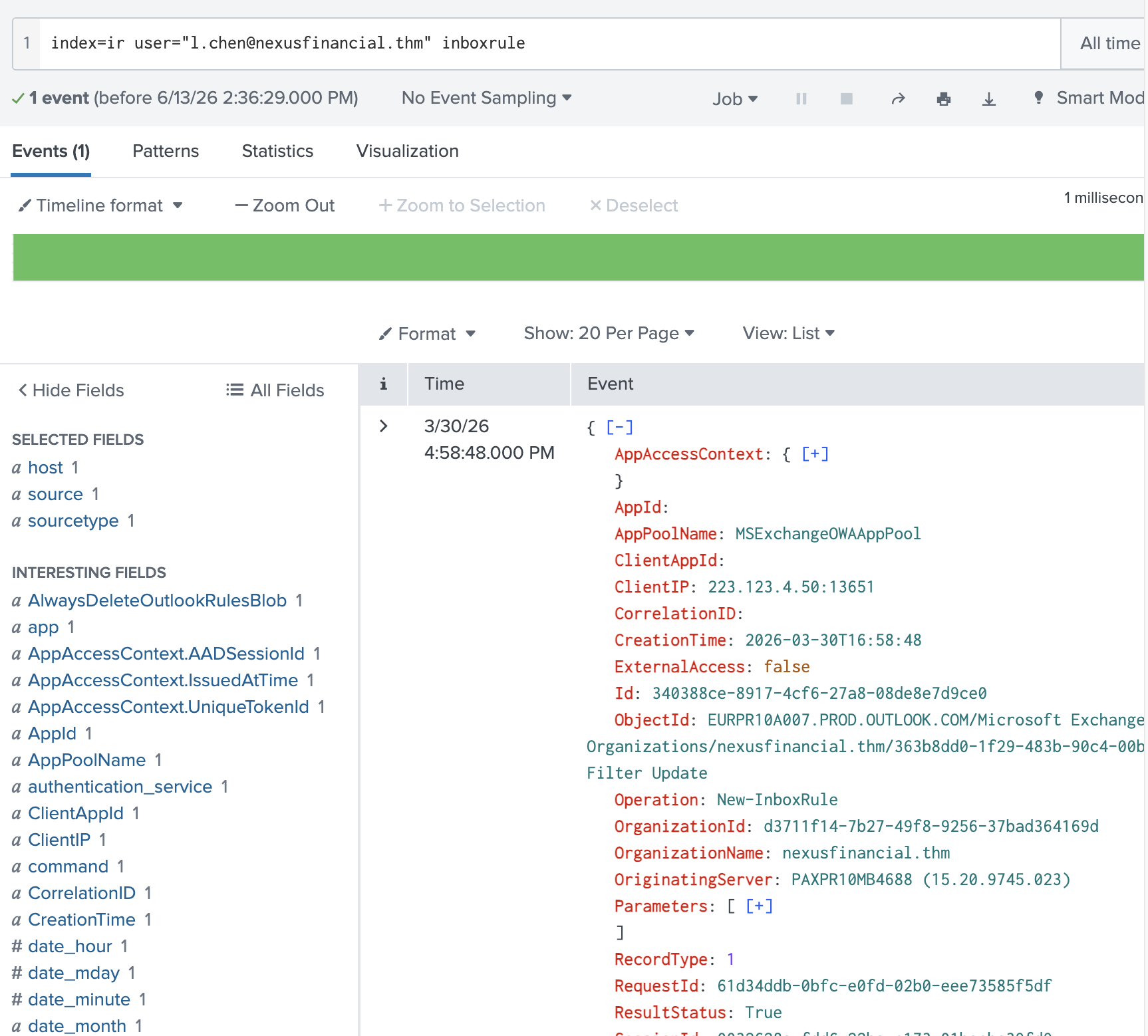
security;alert;suspicious;password;verify
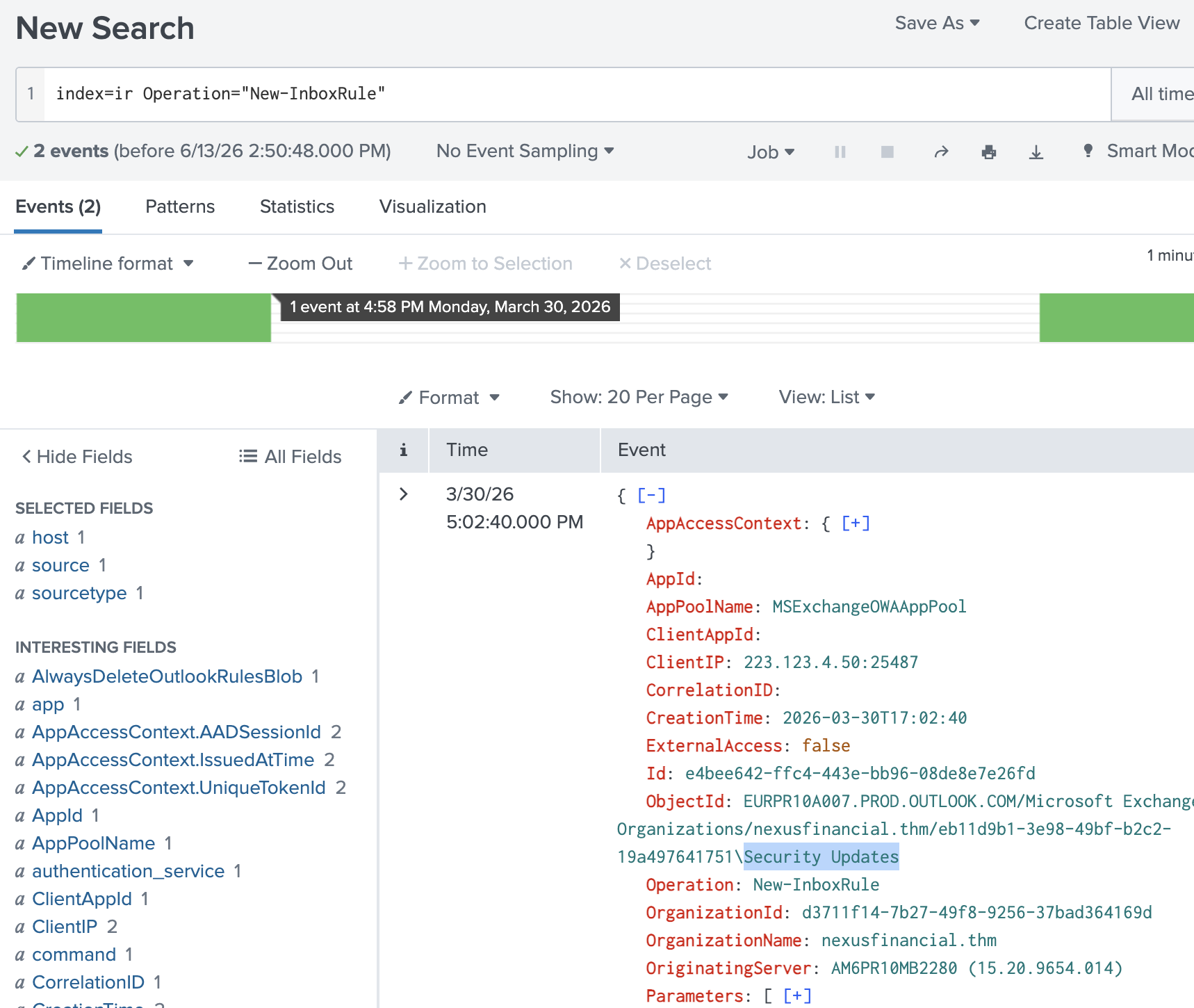
index=ir user="l.chen@nexusfinancial.thm" Operation="New-InboxRule"
| spath output=rule_name path="Parameters{}.Value"
| table _time, user, Operation, rule_name
| sort + _time
index=ir user="l.chen@nexusfinancial.thm" Operation="New-InboxRule" DeleteMessage
index=ir Operation="New-InboxRule"
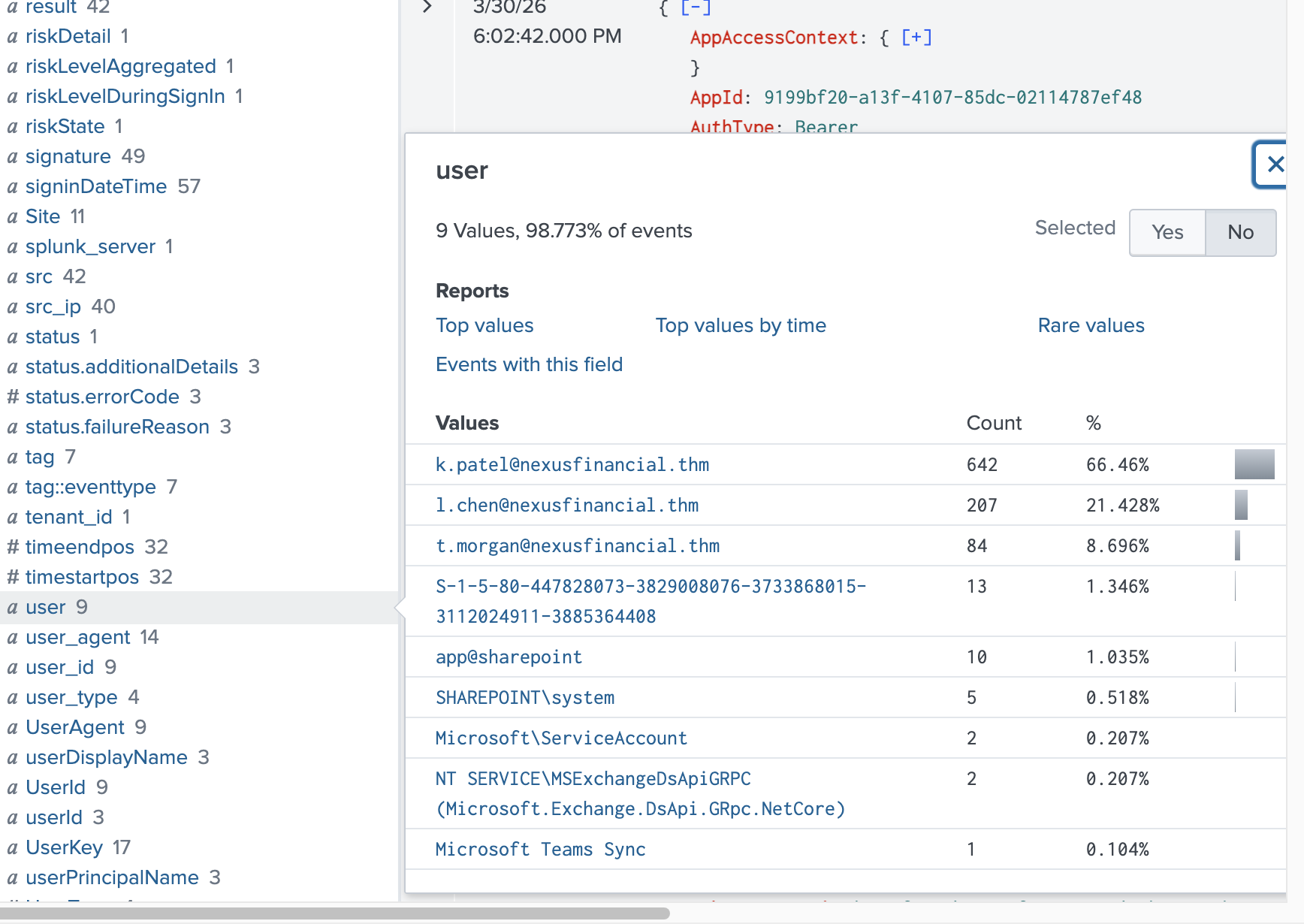
index=ir
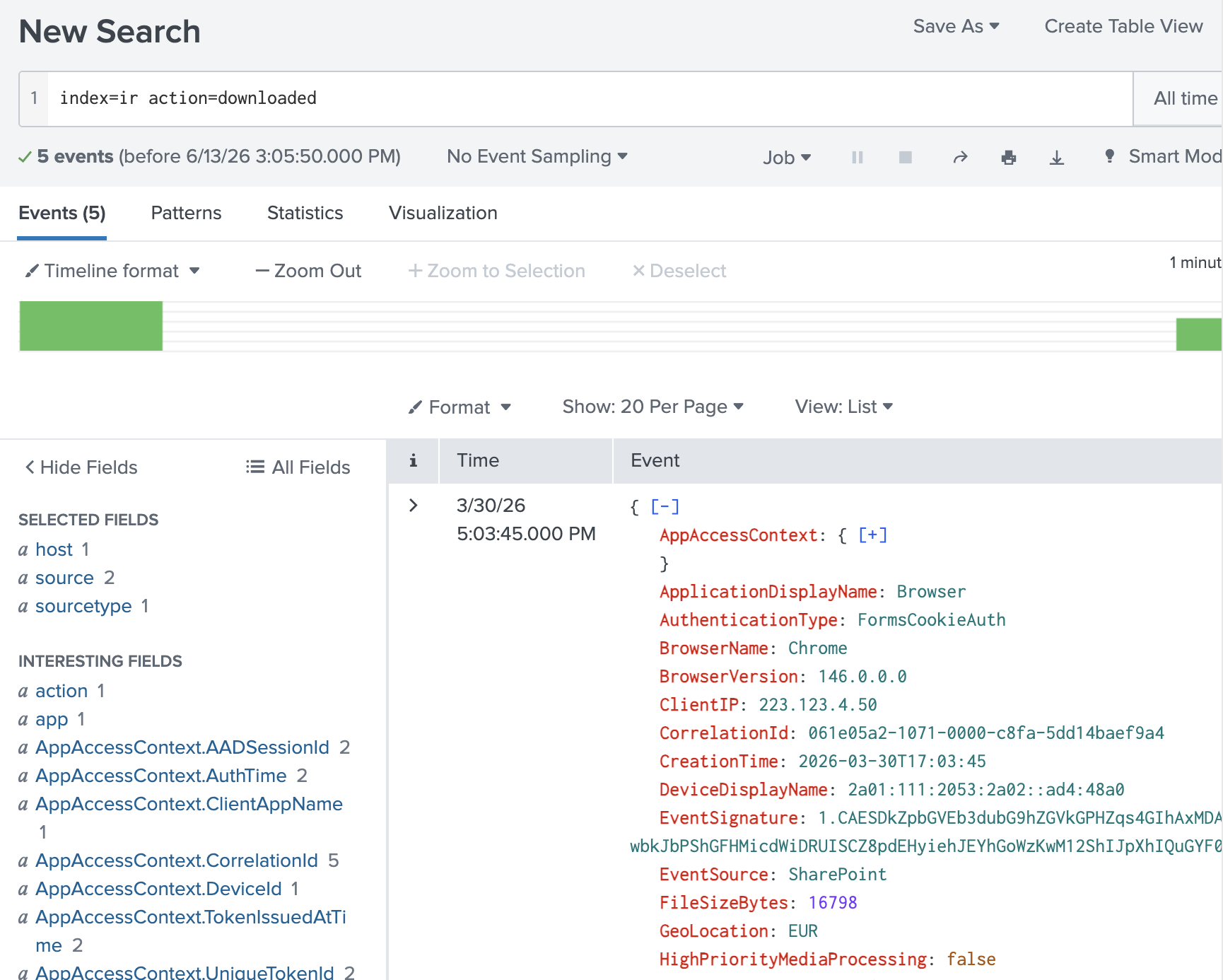
index=ir action=downloaded
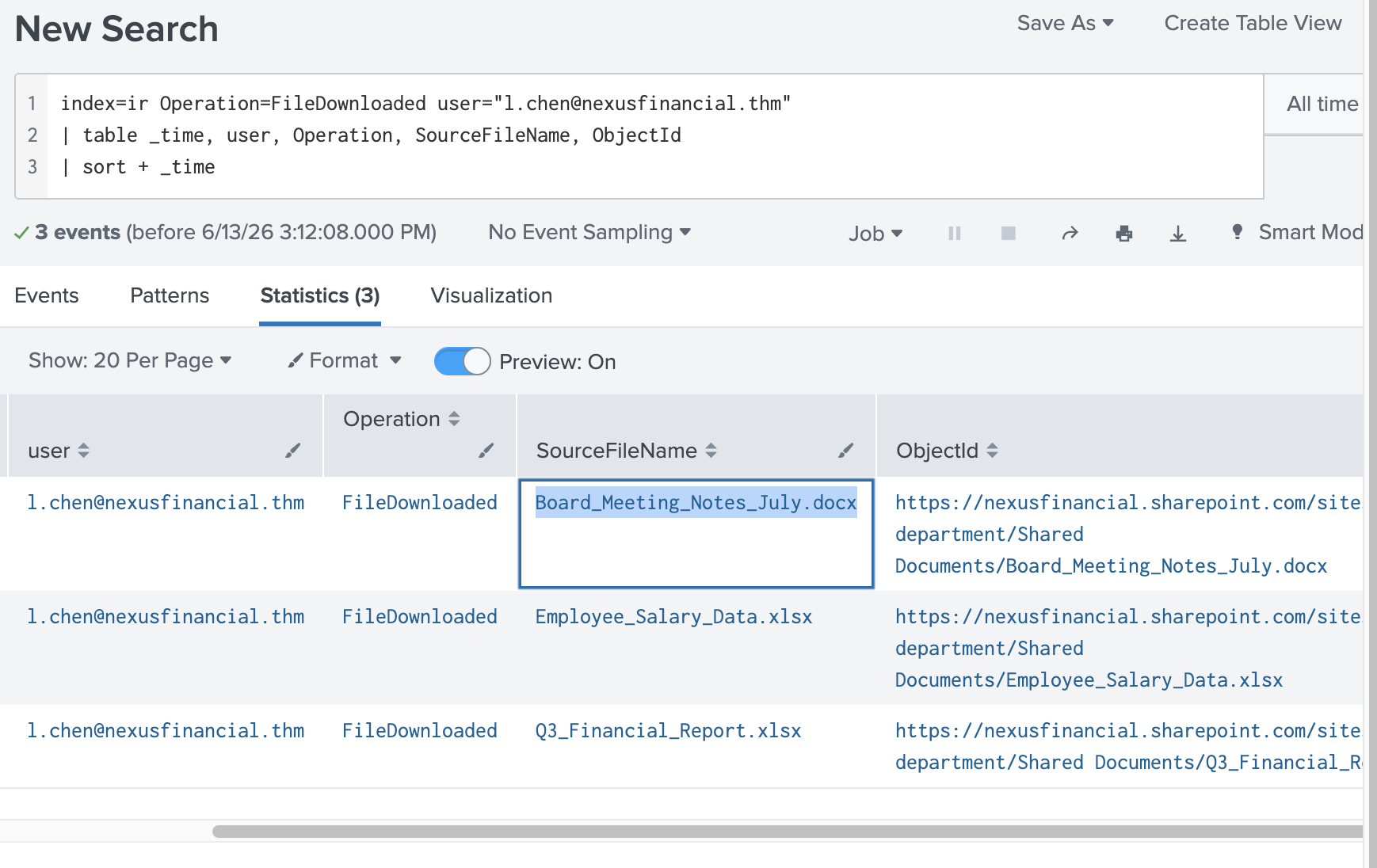
index=ir Operation=FileDownloaded user="l.chen@nexusfinancial.thm"
| table _time, user, Operation, SourceFileName, ObjectId
| sort + _time
Conclusion:
Response and Recovery reinforces a lesson that's easy to skip past in detection-focused rooms: finding the malicious inbox rule isn't the end of the investigation; it's the point where scope expands. Confirming the rule's DeleteMessage action against specific keywords showed clear intent to blind the victim to their own compromise, and pivoting to Operation=FileDownloaded events for the same user closed the loop on whether the attacker touched sensitive files while inside the mailbox. Together, these two rooms model a realistic BEC lifecycle end-to-end: initial access, persistence via mail rules, and the containment/recovery work of confirming exactly what was rules, seen, deleted, and taken before you can call an incident closed.
About the author
- Software Developer | Learning Cybersecurity | Open for roles * If you're in the early stages of your career in software development (student or still looking for an entry-level role) and in need of mentorship, you can reach out to me.
Comments
Join the discussionNo comments yet. Be the first to comment.