Networking: Nmap: The Basics (TryHackMe)

In this article, I will write a write-up for Nmap: The Basics that covers Host Discovery: Who is Online, Port Scanning: Who is Listening, Version Detection: Extract More Information, Timing: How Fast is Fast, and Output: Controlling What You See.
What is the last IP address that will be scanned when your scan target is
192.168.0.1/27?192.168.0.31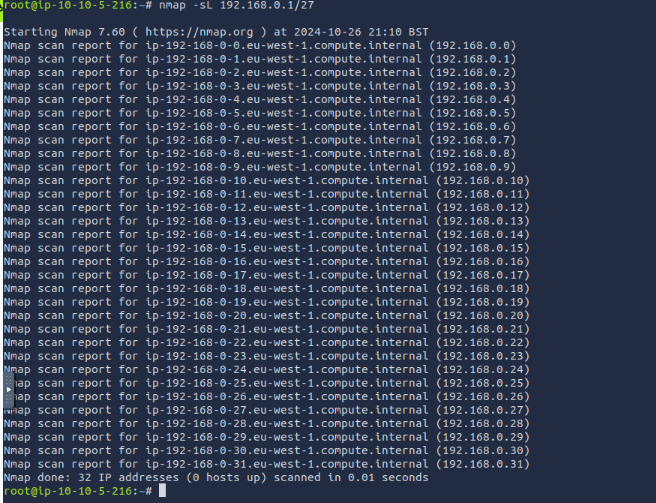
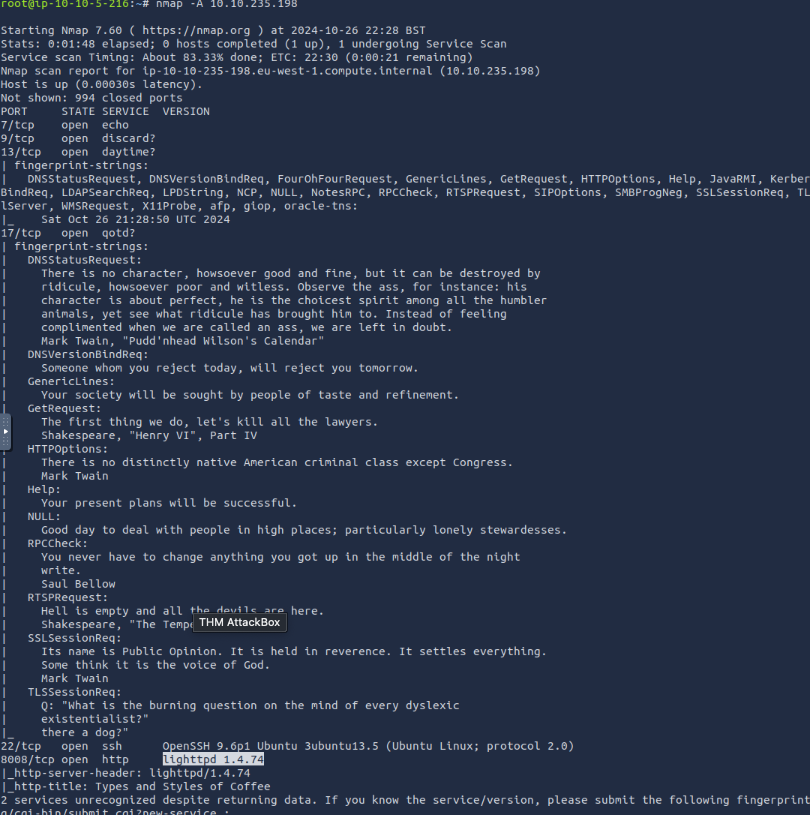
How many TCP ports are open on the target system at
10.10.235.198? 6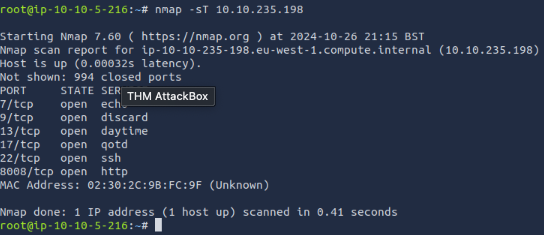
Find the listening web server on
10.10.235.198and access it with your browser. What is the flag that appears on its main page?THM{SECRET_PAGE_38B9P6}to start there’s a hint on the question that you should access via
http://ip_address:port_number. Remember the computer has 65535 ports so I tried to use common ports like 80, 8080, etc, and the browser didn’t open. I ran a commandnmap -sV -A 10.10.235.198that gave us a comprehensive overview of our target machine IP which included open ports, 8008 showed8008/tcp open http lighttpd/1.4.74. On opening the browserhttp://ip_address:8008I got the flag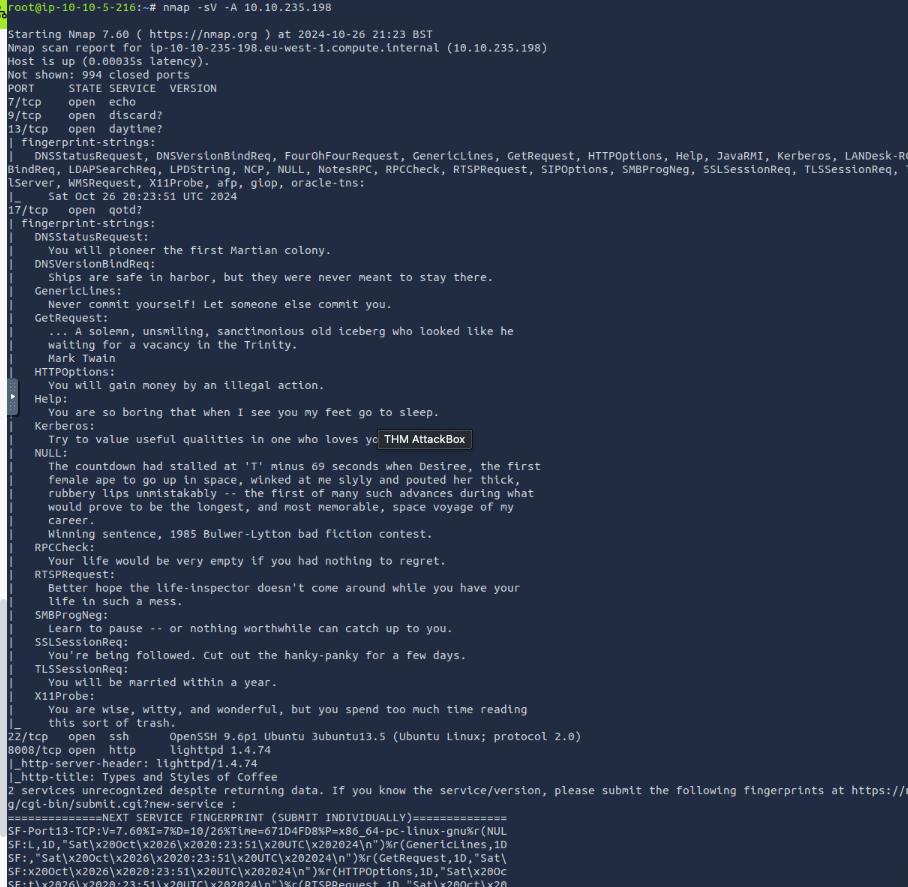
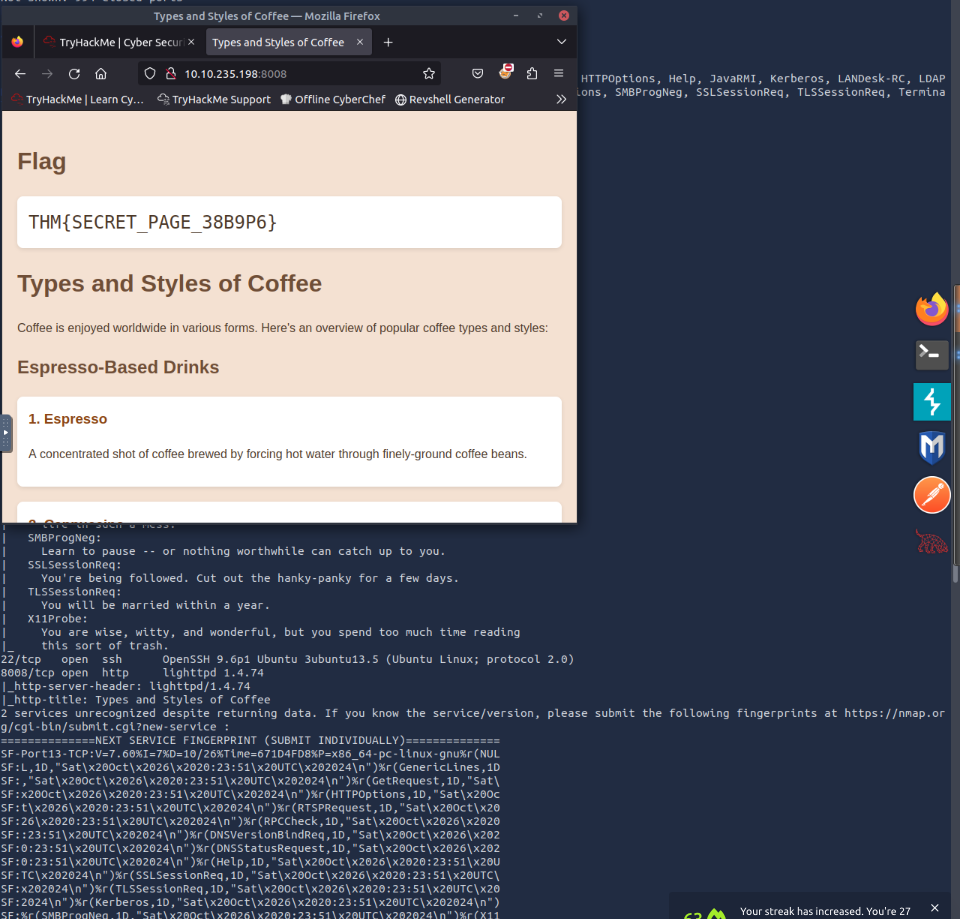
What is the name and detected version of the web server running on
10.10.235.198?lighttpd 1.4.74
running nmap -A ip_address brings it up notice that our attack machine uses lighttpd and not the web servers like nginx so that a hint too
What is the non-numeric equivalent of
-T4?-T aggressiveWhat option must you add to your
nmapcommand to enable debugging?-dWhat kind of scan will Nmap use if you run
nmap MACHINE_IPwith local user privileges?Connect Scan
Thank you for reading my article. Please leave any questions or comments on improving my learning journey and the THM challenges.




