Challenge: Snapped Phish-ing Line (TryHackMe)
Link to challenge on TryHackMe: Snapped Phish-ing Line
As a member of the IT department at SwiftSpend Financial, you are responsible for assisting employees with technical concerns. What initially appeared to be a routine day quickly escalated when multiple employees across different departments reported receiving a suspicious email. Several users noted unusual characteristics in the message, and unfortunately, some had already submitted their credentials and were no longer able to access their accounts. With the potential for a wider compromise, the incident has been escalated for investigation. Your task is to analyze the available evidence, determine the scope of the attack, and uncover how the adversary operated.
Objectives
Analyze the provided email samples to identify key artifacts
Investigate phishing URLs to understand redirection
Retrieve and examine the phishing kit used in the attack
Use CTI tools to gather intelligence on the adversary
Analyze the phishing kit to uncover additional indicators
Prerequisites
It is suggested that you complete the previous four rooms of the Phishing Analysis Module to help prepare you for email analysis:
Check out Phishing Analysis Fundamentals for an overview of email communications and analysis
Explore Phishing Emails in Action to gain experience analyzing phishing emails
Go over Phishing Analysis Tools to learn about tools that enable deeper email analysis
Cover Phishing Prevention to learn about preventing, detecting, and mitigating email threats
Answer the questions below
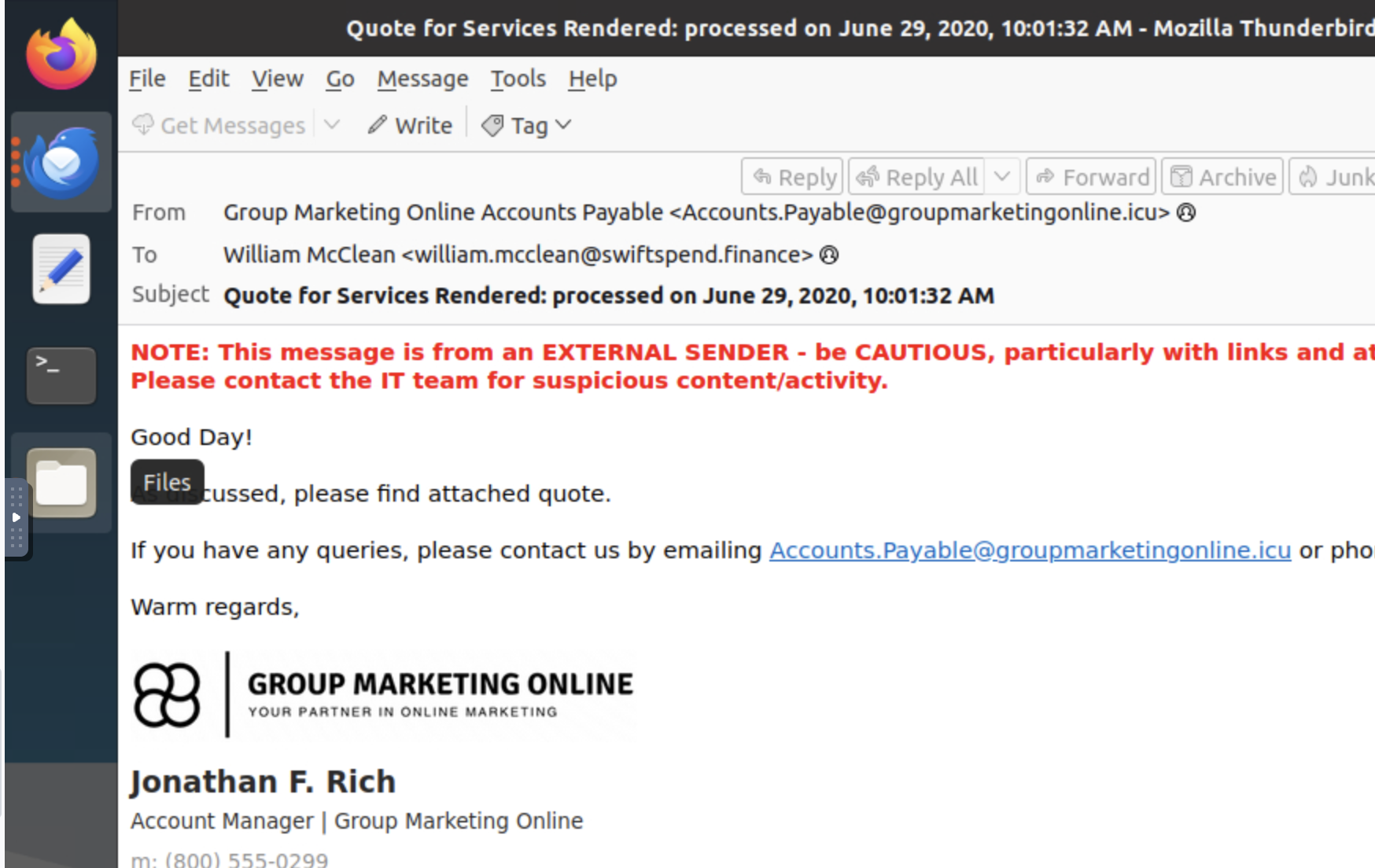
Begin reviewing the emails in the phish-emails folder on your desktop.
Which individual received the email regarding a Quote for Services Rendered? William McClean
What email address was used by the adversary to send the phishing emails?
Investigate the attachment in the email addressed to Zoe Duncan.
What is the root domain of the redirection URL found within the file? kennaroads.buzz
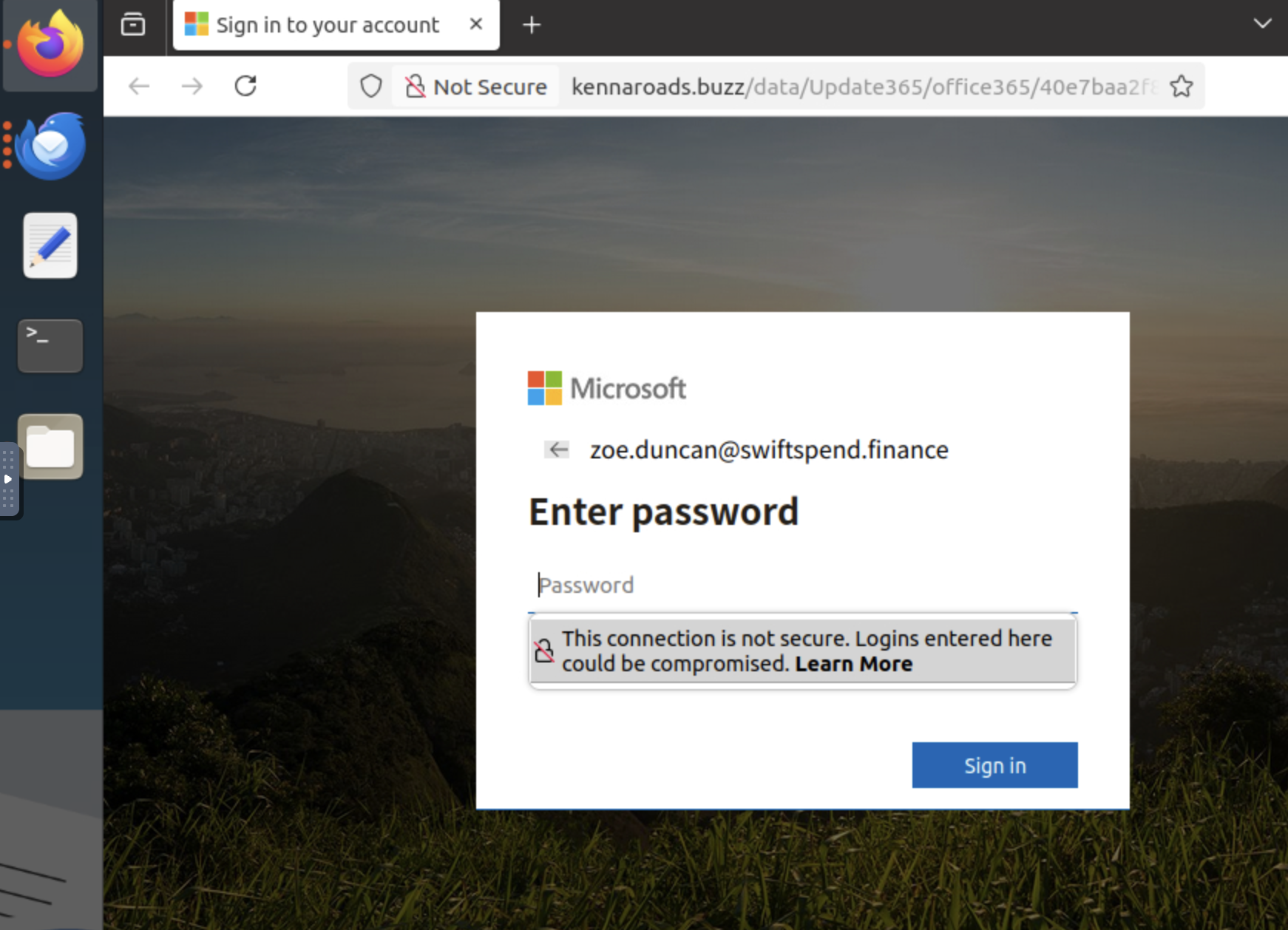
Open the attachment in your VM web browser.
Which company is the login page impersonating? Microsoft
Let’s check if the attacker left any files exposed on the same website.
Navigate to the /data directory.
What is the name of the archive file? Update365.zip
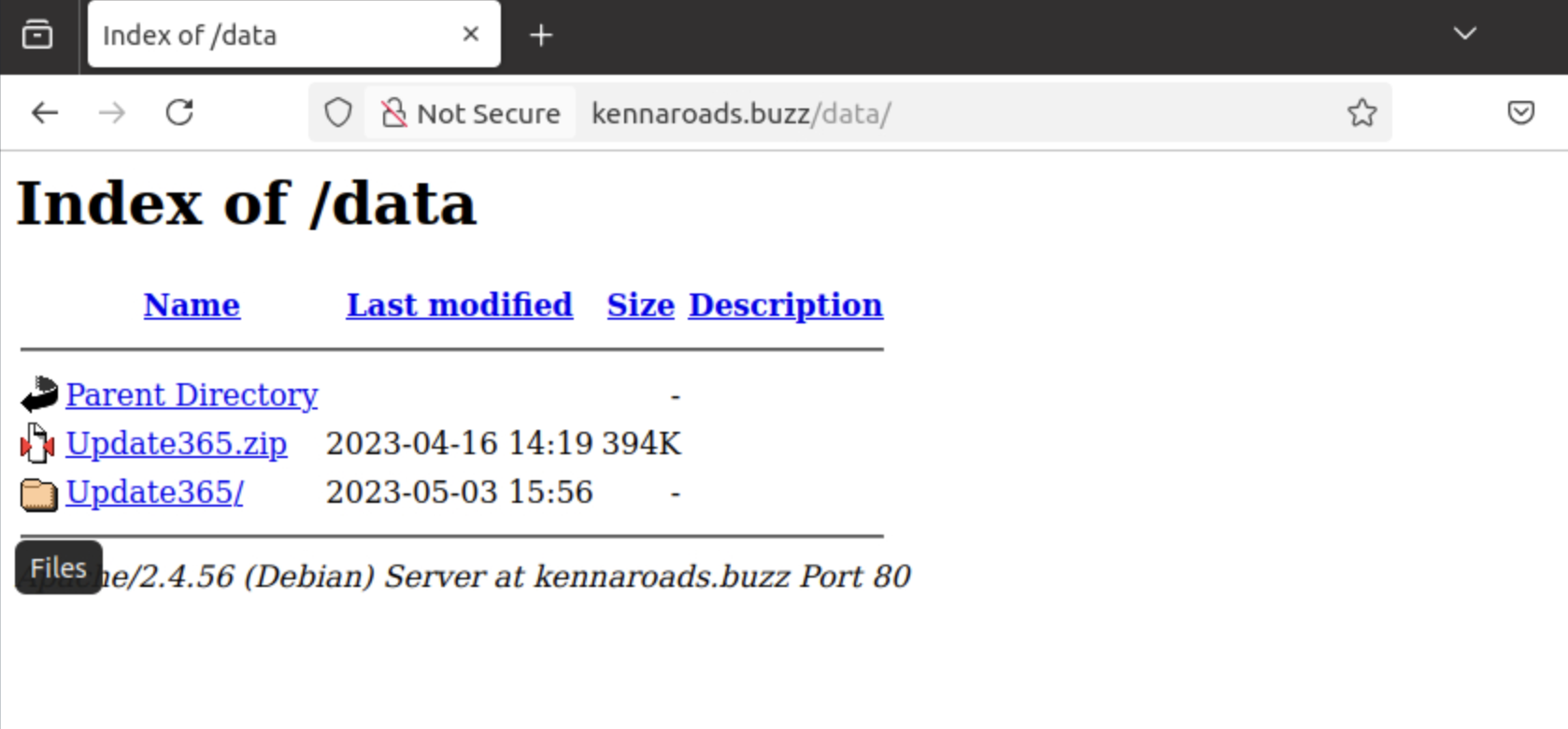
Download the phishing kit archive to your virtual environment.
Using the sha256sum command, what is the SHA256 hash of the file?
shasum -a 256 Downloads/Update365.zip
ba3c15267393419eb08c7b2652b8b6b39b406ef300ae8a18fee4d16b19ac9686  Downloads/Update365.zip
Investigate the file hash from the previous question using VirusTotal (opens in new tab).
Aside from phishing, what other threat category is assigned to the ZIP archive?
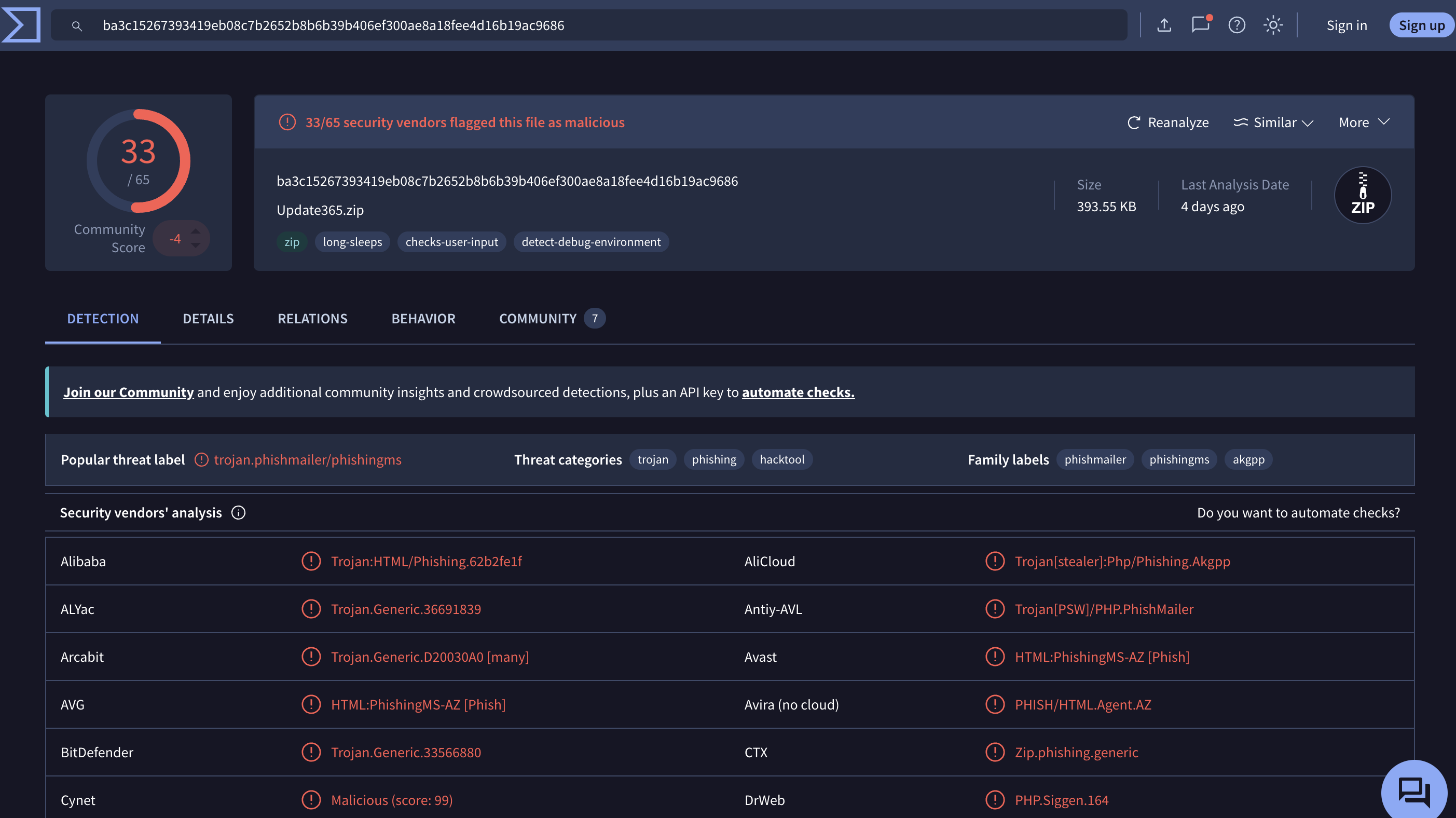
Review the VirusTotal Details page for the phishing kit.
How many files are contained within the archive?
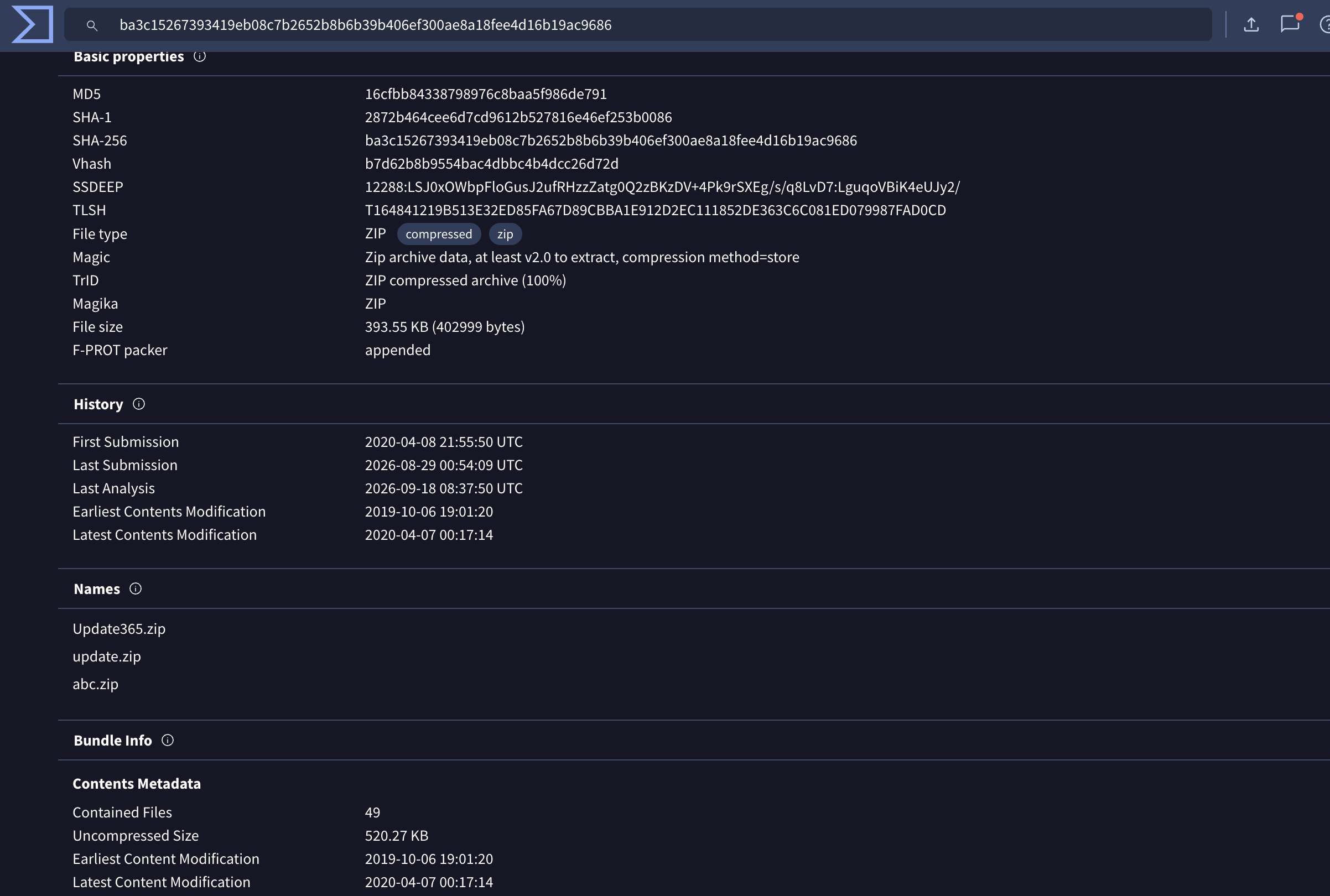
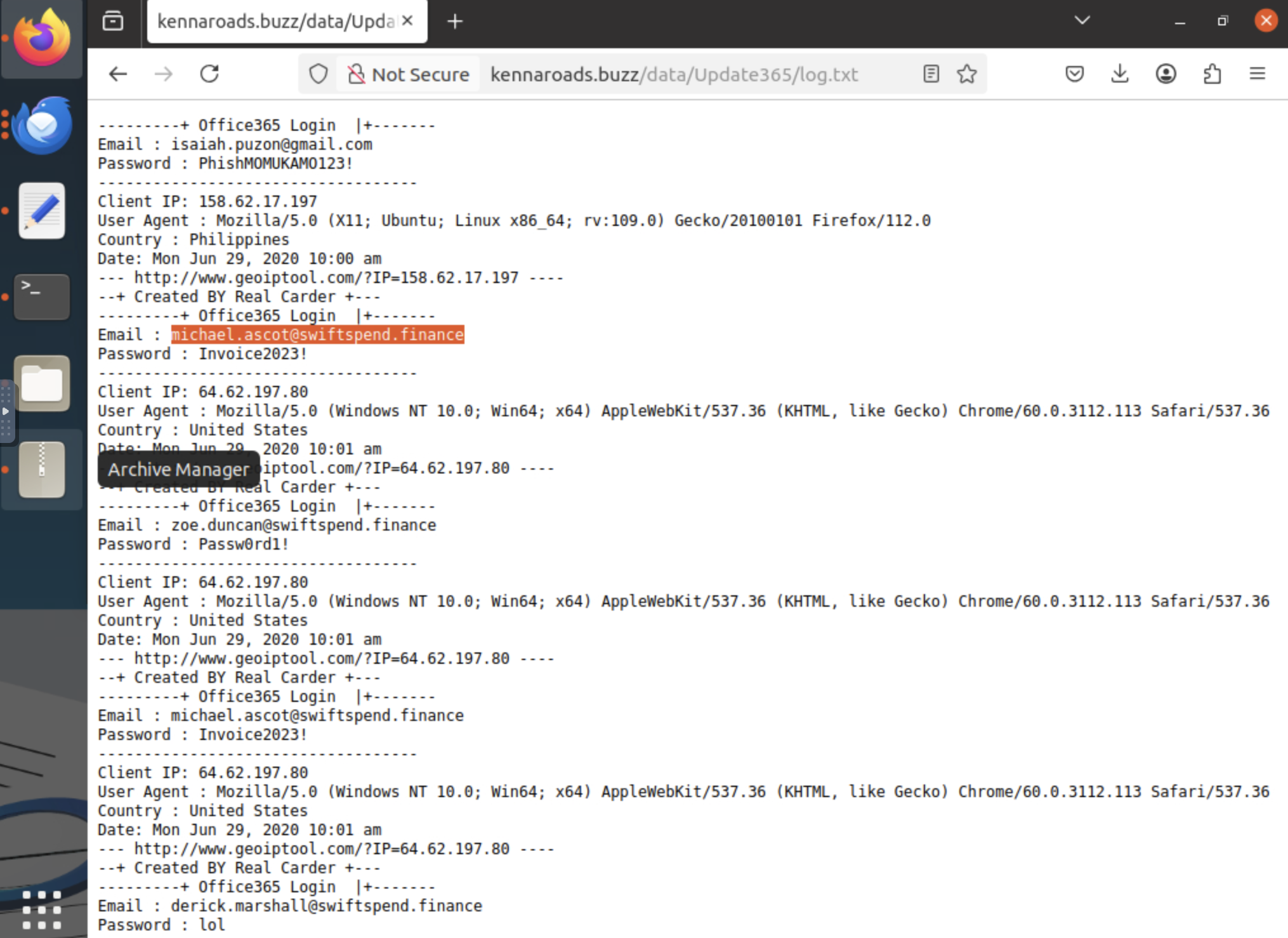
Let’s see if the attacker has exposed any captured credentials.
Navigate to the /data/Update365/ directory and investigate the log file.
What is the email address of the user who submitted their credentials more than once?
Extract the phishing kit archive and locate the submit.php file.
What email address is used by the adversary to collect compromised credentials? m3npat@yandex.com
Return to the phishing URL and locate the flag.txt file.
Using CyberChef (opens in new tab) to decode the flag, what is the secret value?
http://kennaroads.buzz/data/Update365/office365/flag.txt
The secret is: fUxSVV8zSHRfaFQxd195NExwe01IVAo=
}LRU_3Ht_hT1w_y4Lp{MHT
THM{pL4y_w1Th_tH3_URL}